Working Guide Of The MailsDaddy Lotus Notes To MSG Converter Tool
Working Guide of the MailsDaddy NSF to MSG Converter Software.
Step-by-Step Walkthrough (8 Steps)
Click on any screenshot to view full resolution.
NSF to MSG Converter Action
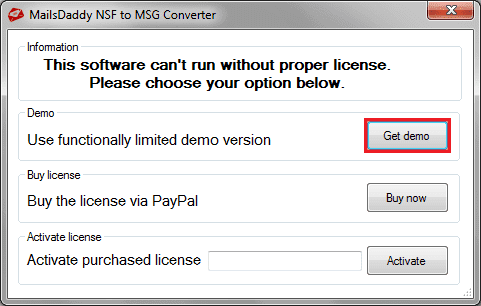
Download the tool, click on Get demo or activate it (if the license key is available) and launch it.
Open File
Download the tool, click on Get demo or activate it (if the license key is available) and launch it.
NSF to MSG Converter Action
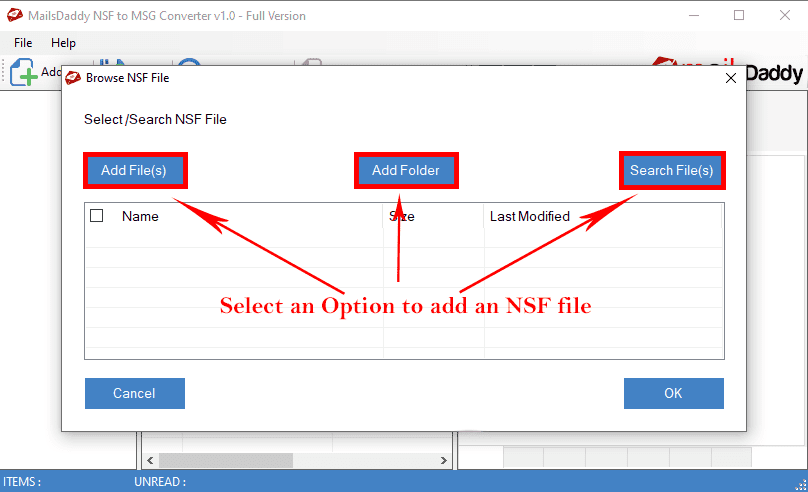
click on the 'Open' button to add a file from the local directories.
NSF to MSG Converter Action
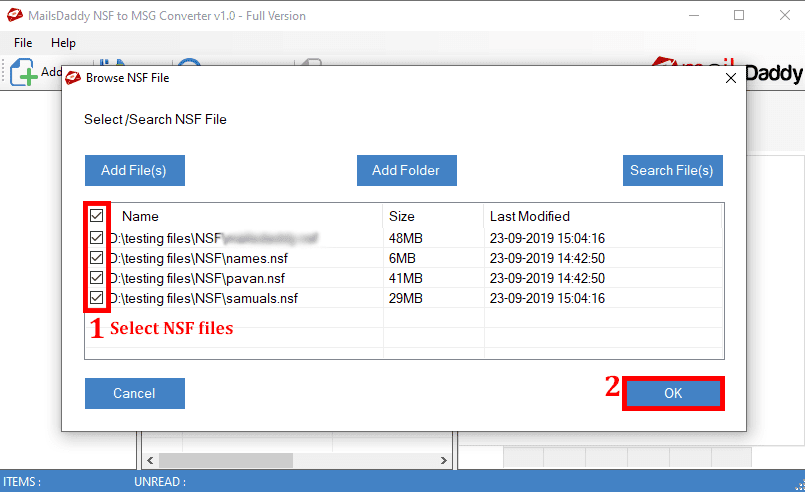
Select the folder where NSF files have been saved.
Search Mail
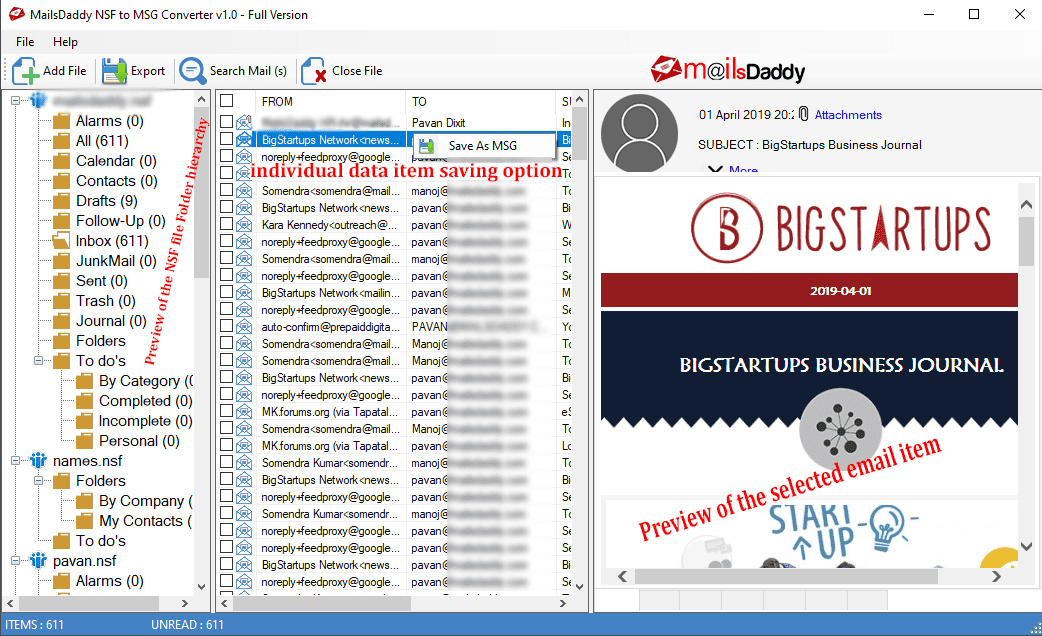
The software generates a Preview of the selected file.
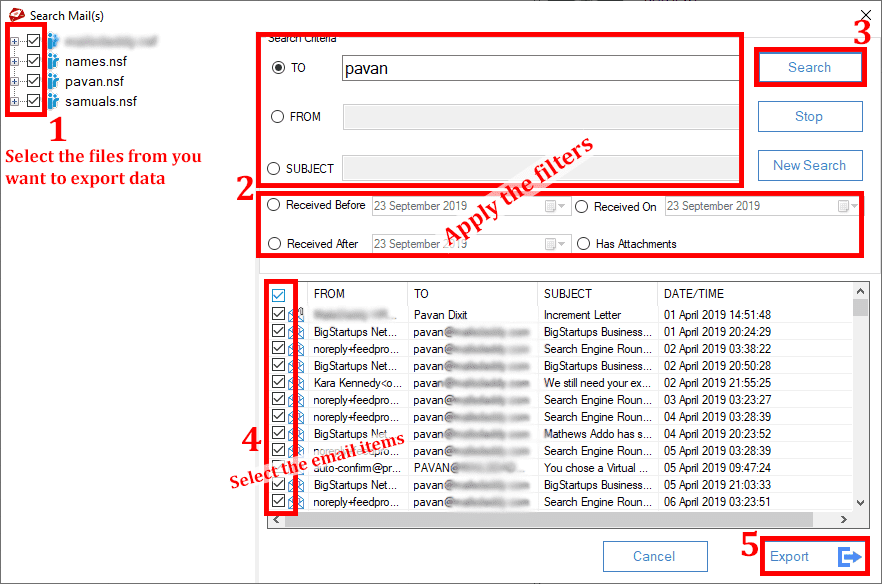
Export Button
You can directly export from the Search Mail option by clicking on Export Button but it migrates only those emails which are selected from search option.
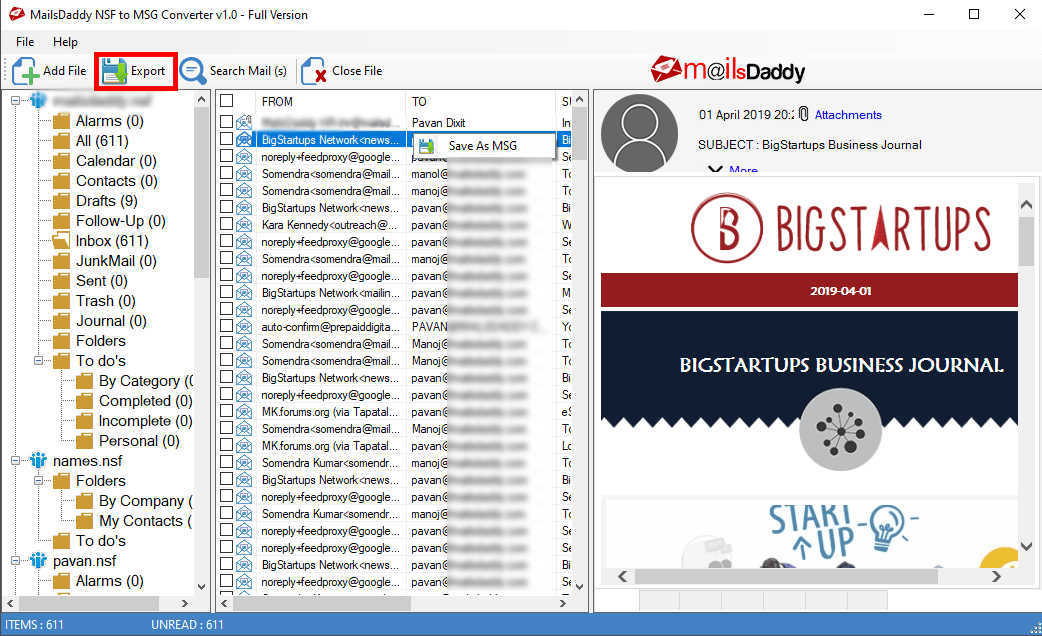
NSF to MSG Converter Action
Click on Export Button from home screen to export selected or all the email files.
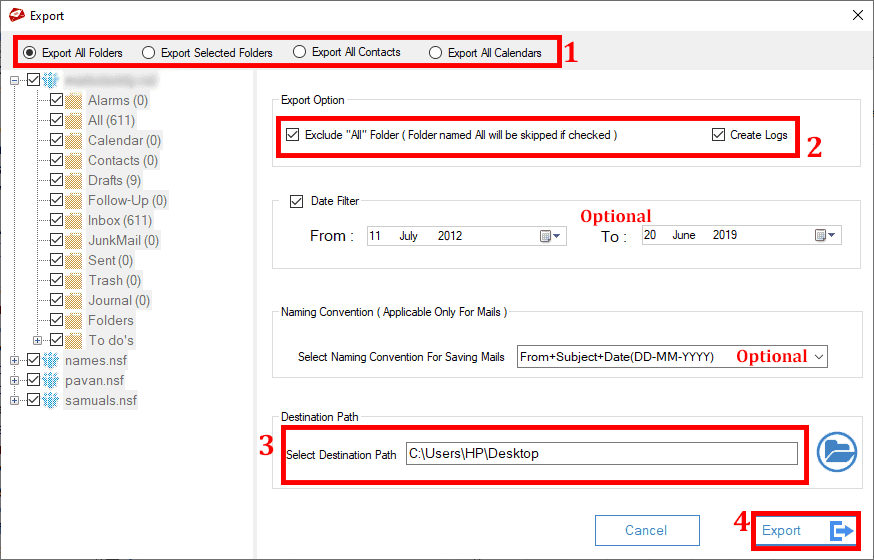
NSF to MSG Converter Action
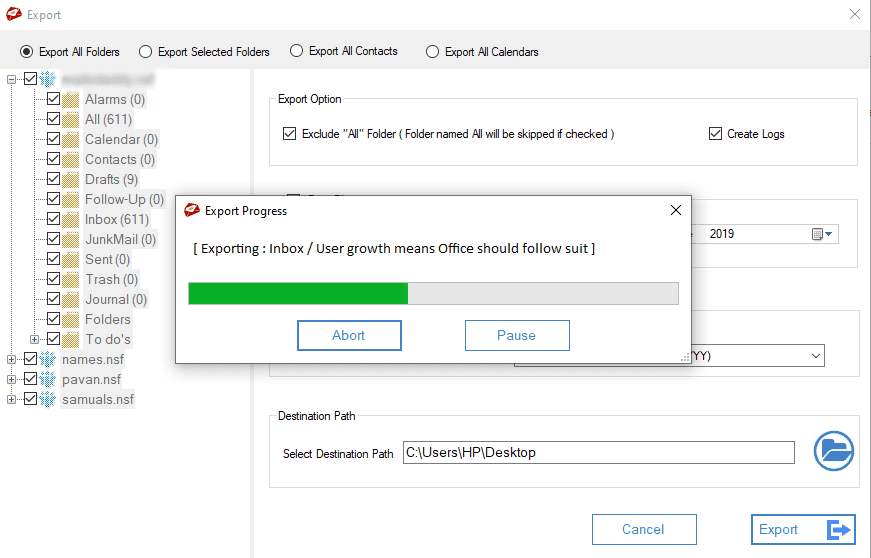
Select options from the each fields as per requirements and click on Export Button.
Ready to Start with NSF to MSG Converter?
Download the free trial version to preview all mailbox items or buy the full license for unlimited conversion.