A simple solution for migrating OST files to Office 365 mailbox. The Application uploads entire OST data including emails, attachments, contacts & calendar items, etc. to o365 Primary, In-Place Archive, or Shared Mailboxes. Effortlessly recover and convert OST to Exchange Online.
 See our Reviews on Trustpilot
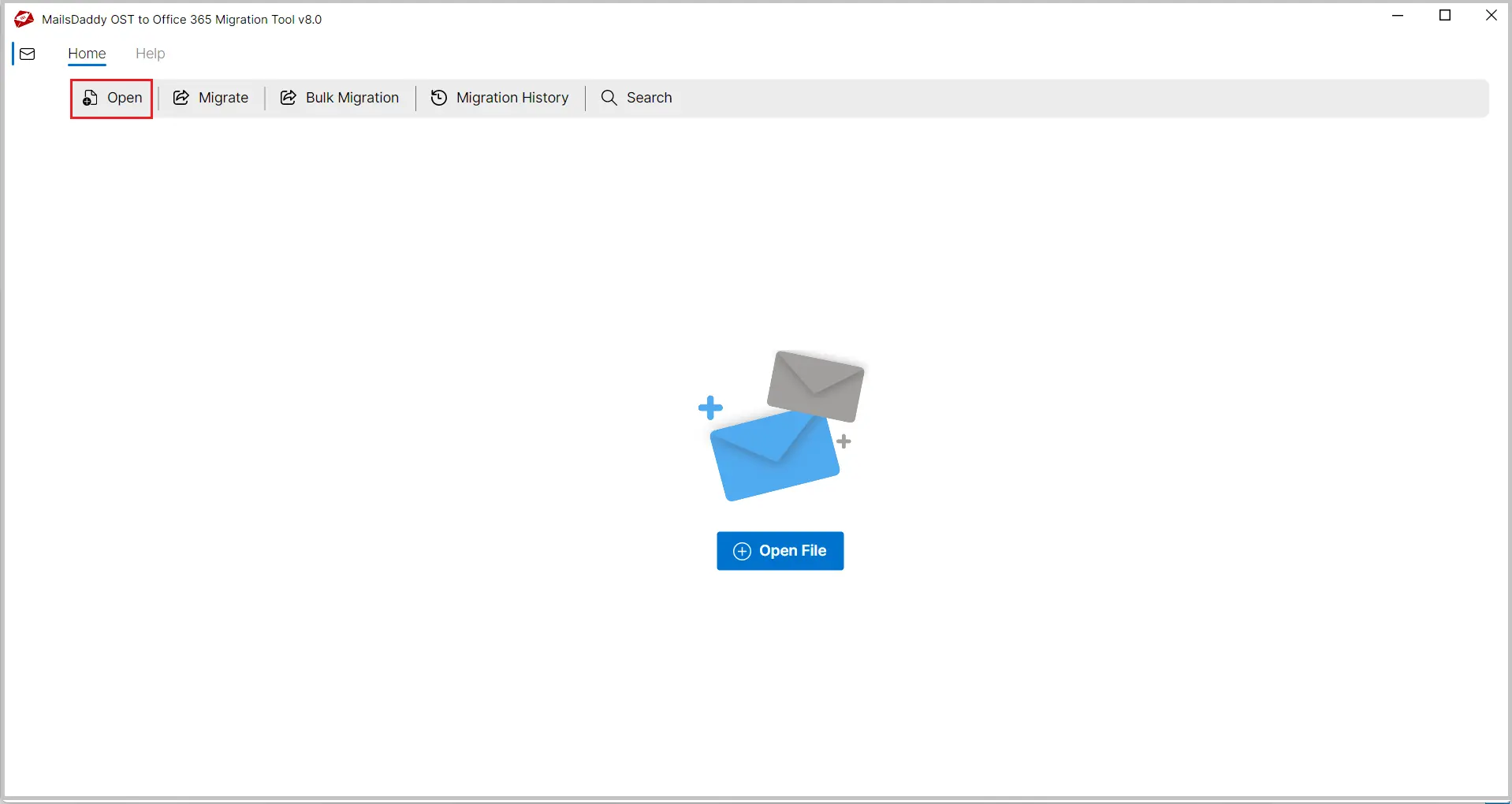
Insert the OST file using Open tab. After selecting OST file, the softrware prefectly fix all bugs of OST file and thatn add the OST file in application.
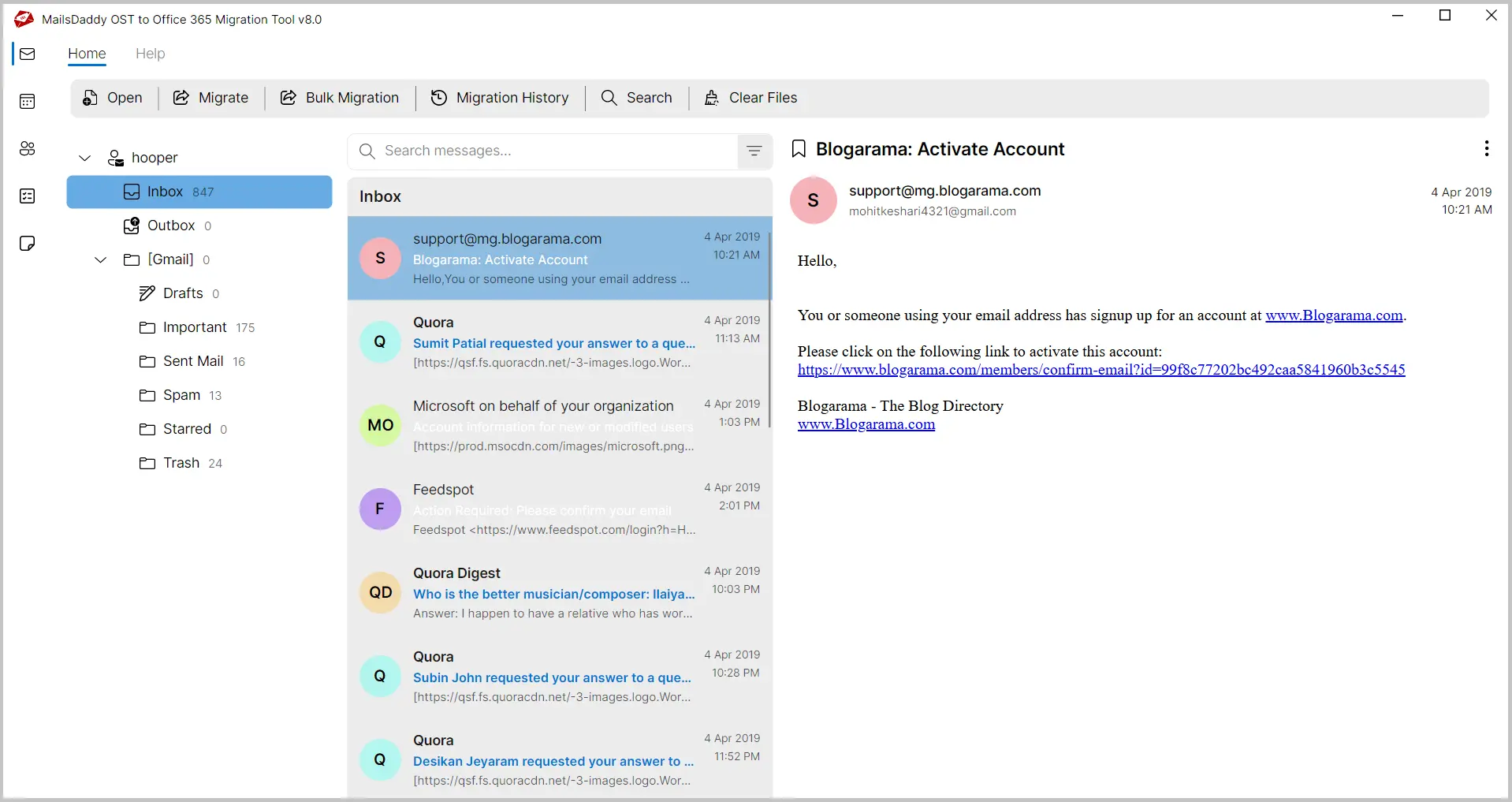
The OST to Office 365 migration tool previews the entire content of the OST file along with the attachment. Click on a particular email to read/view its data.
Simple to use converter to import OST to Office 365 mailbox. Click on the Export button and Choose Office 365 option to upload OST file to Office 365.
The software migrates OST to Office 365 platform and maintains the original folder hierarchy. The tool uploads the OST file as it is to Office 365 platform. The software keeps the entire email properties like To, Cc, Bcc, Subject, From etc. & read unread status.
OST to Office 365 Converter provides the Bulk Migration feature through which you can simply migrate multiple sigle or multple OST files to Office 365 one or more accounts at one go. Jusct create and selecte the CSV file containing OST file paths and O365 email IDs.
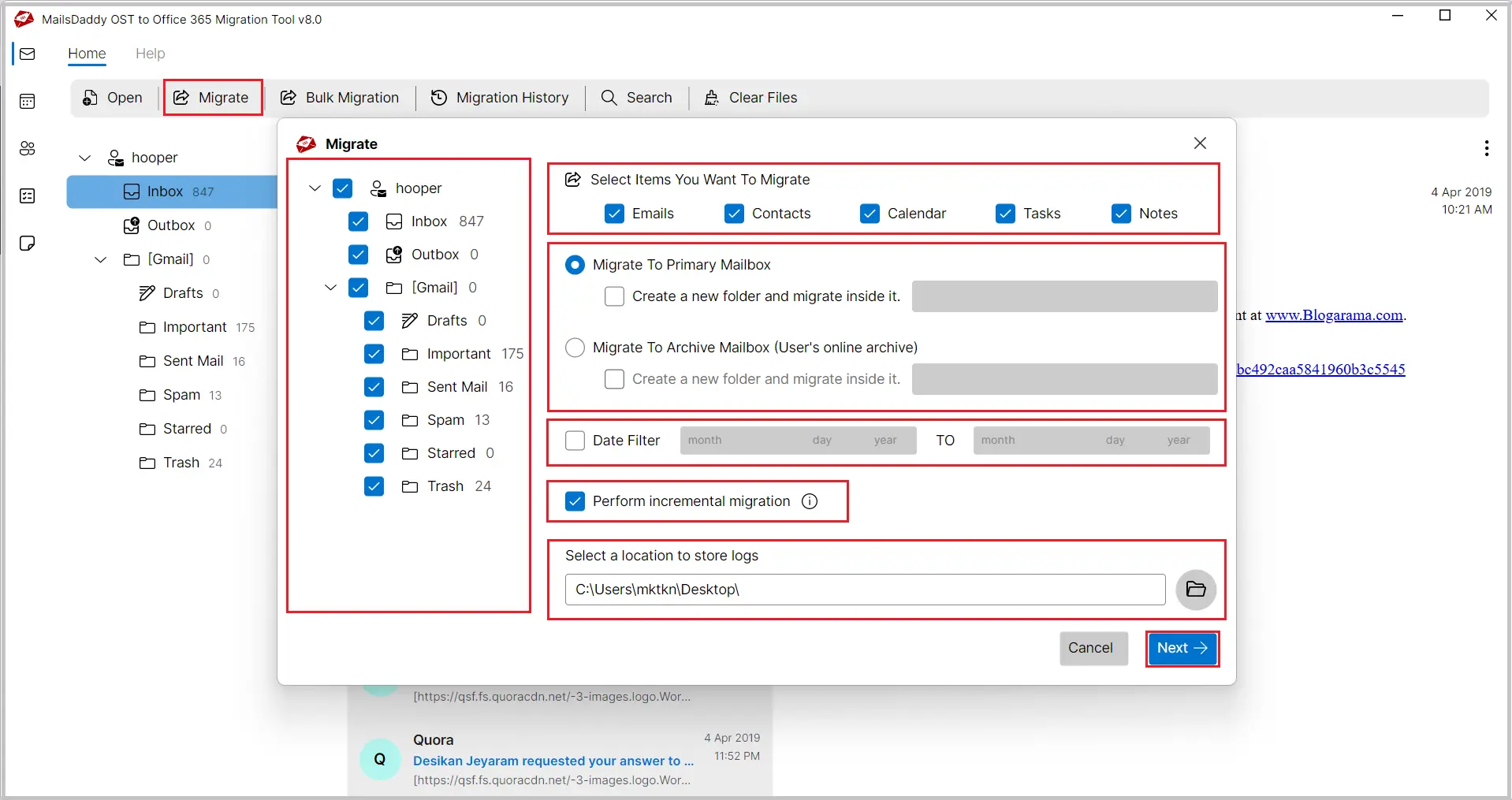
By selecting this option, you may move OST file data such as emails, contacts, tasks, and calendar items to Office 365 default folders. The software preserves the same folder structure while migrating OST data to Exchange Online Primary Mailbox.
If you do not want to convert OST to Office 365 mailbox primary mailbox then you may use Export to Archive Mailbox option. If this option is checked, then the software will create a new folder on Office 365 mailbox and import entire data inside that folder.
If you are working with an organization from a very long time and want to keep 1 year, 1 month, or other specific date range data while moving to Office 365 then this option will work like a charm. You can select from and to date range and upload required OST data to Office 365 account.
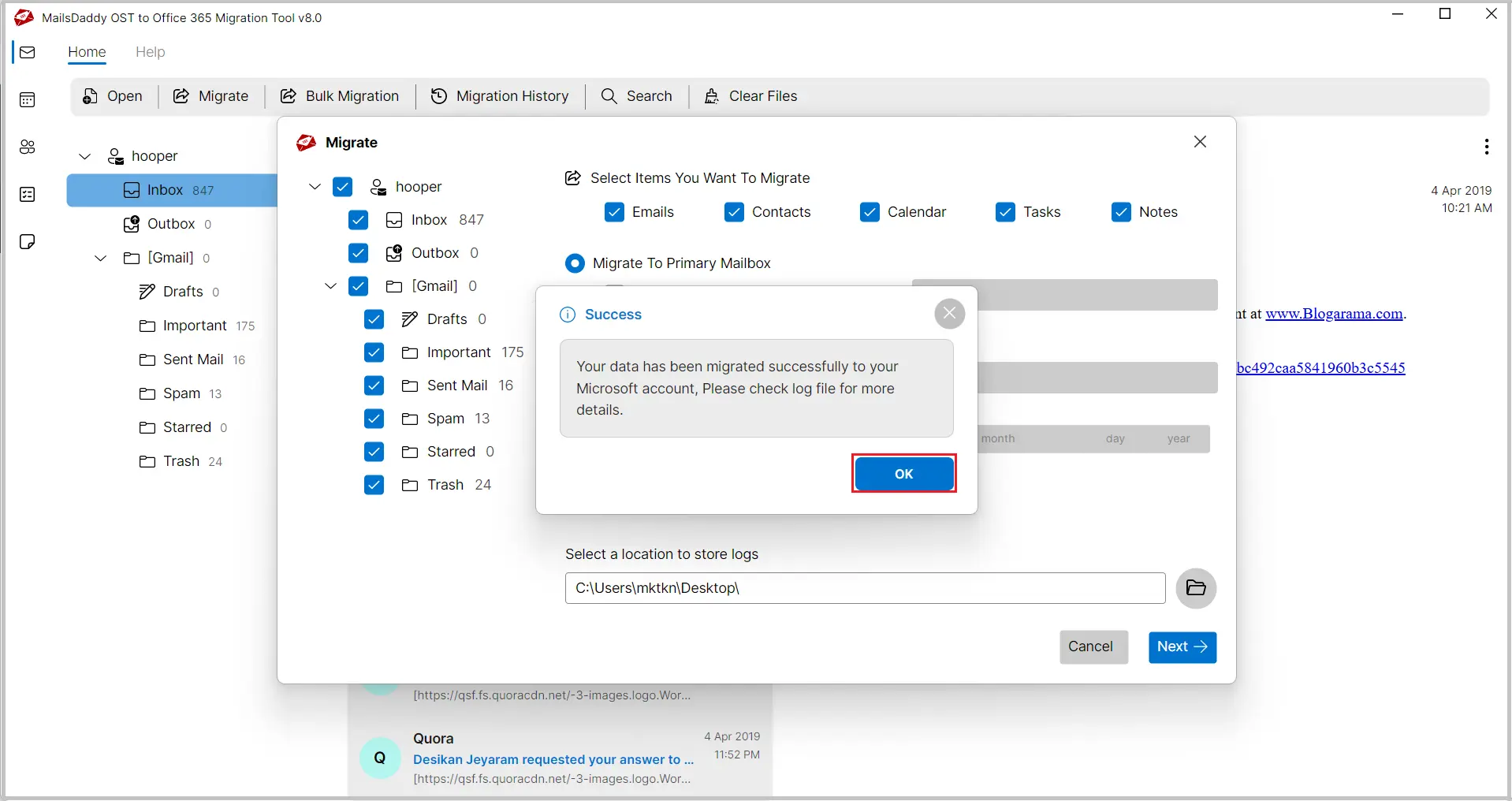
You do not need to worry about migration errors, missing items, or anything else. Our software will create a log file into the selected destination location and will generate a report of migration. It will be helpful to analyze the OST to Office 365 migration procedure.

MailsDaddy OST to Office 365 migration tool allows importing contacts only, importing calendar only or importing contact and calendar only to primary as well as archive mailbox. If you want to migrate contacts and calendars then this option will be helpful.
The OST to Office 365 Upload Tool is capable of importing Offline or Corrupted Exchange OST file to Office 365 platform.
OST file to Office 365 importer is an independent tool and does not require the setup of Exchange Server or Outlook to Move OST to Office 365 platform.
Email: The converter migrates the offline OST data file emails to Office 365 account. Through this application, the user can even choose the naming conventions to search the OST emails such as:
The tool preserves each information of the OST email along with attachments. It never harms or deletes anything during the tasks.
Attachments: The software is compatible with any Outlook OST attachments and keeps them protected even after migrating them to Office 365.
Folders and SubFolders: The OST to Office 365 conversion tool provides the features to choose folders or the Subfolders of the OST file & upload it to Exchange Online cloud. The OST includes the below folders.
Contacts: The converter facilitates users to import only contacts of the OST file to Office 365 environment. During the migration, it takes care of each item of the OST contacts including:
Calendar: The application provides a solution to move OST calendars separately to the O365 platform. It keeps each item of the calendar undisturbed. It even keeps the following data of the calendar data intact such as:
Calendar Types:
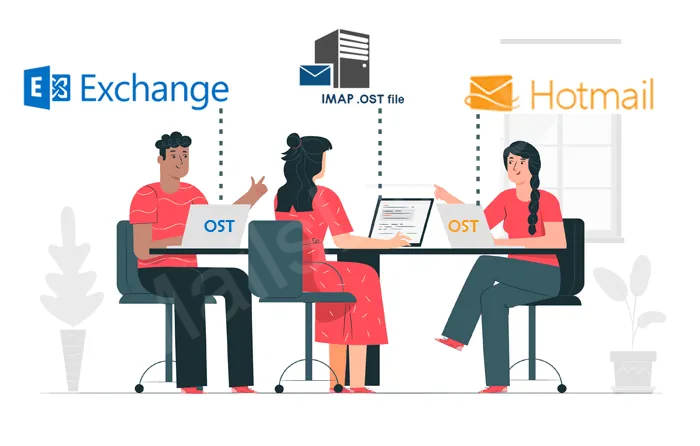
The unique and useful features that make the application highly exceptional. The software supports all OST files to Exchange Online mailbox and never creates any issue. The tool gives a successful outcome for all types of OST data files.
The tool is even compatible with highly corrupted OST files also.
The conversion tool helps in migrating the OST file to any mailbox of Exchange Online account. It means users are free to choose destination mailbox where you want to transfer OST data.

Using this OST to Office 365 migration tool users can successfully filter and convert some imrotant email database to Microsoft 365 account witohut hassle. It offers users to use different meta search options, like (To, from, Subject, etc.) to easily filter all required databases. Below options let the user to upload all or the selected OST folders to O365 account.
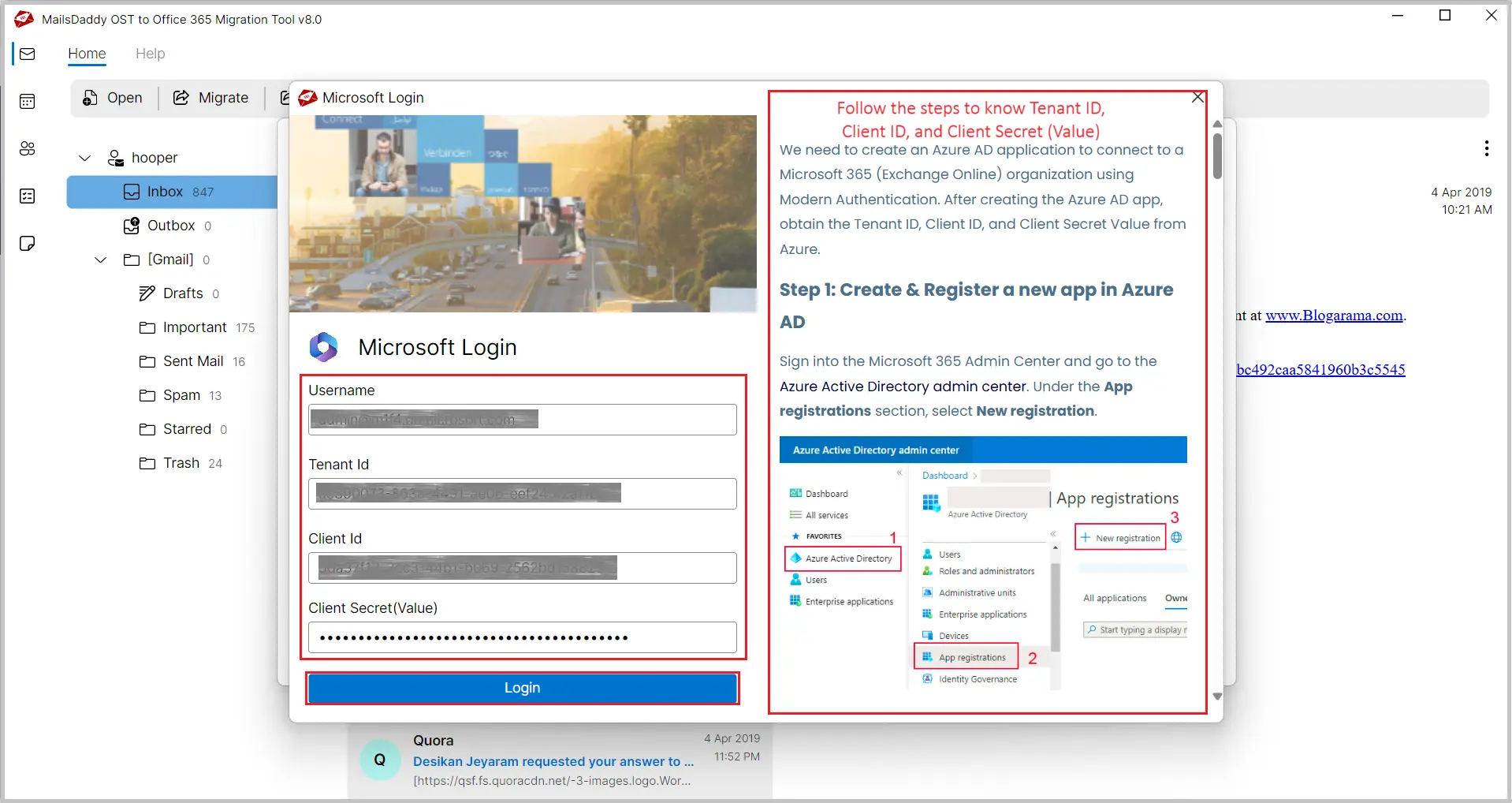
The software provides 100% security to the OST data file; even before moving OST to O365 account the tool ask for valid credentials. As you click the final Export button, a pop-up dialog box appears asking for the login details before migrating OST data to Office 365 mailbox.

We have 10,000+ happy customers for MailsDaddy OST to Office 365 Migration Tool. We always focus on software accuracy and quality. Our Technical support team is always ready to help you for product/sales related queries.
I was looking for a solution to uploading OST to Office 365 cloud. But the problem is that I don't have any technical skills. I used this tool and I amazed as I have migrated my data with no hurdle.

I have an OST file of around 8 GB and I was looking for a perfect solution that can migrate the data of this OST file with. Thanks a lot to this OST to Office 365 import tool that worked like a charm for me.
Recently I need to migrate my OST file to Office 365 environment but unable to find a good solution for performing the same. Then I came to know about this tool and it has performed the migration of my OST file to Office 365 platform.

No, The OST to Office 365 migration tool does not require the installation of Exchange Server or Outlook application.
Yes, you can easily migrate the selected folder of the OST file to Office 365 platform.
No, upload the OST file of any size to Office 365 mailbox with ease.
Yes, you can easily import the Corrupted or Offline OST file.
Yes, the tool supports the OST file of Outlook 2019, 2016, 2013, 2010, 2007, and all earlier versions.
Yes, The software can be easily installed on all Windows OS supported systems
Yes, You can easily upload one or more Offline OST file to songle or multiple Office 365 accounts at one time.


We offer 24*7 technical support to our customers if any issue arises. Our support team provides all possible guidance to operate the OST to Office 365 Migration Tool.
Free download Demo to convert few OST data files to Exchange Online and check its functionalities. For complete migration of OST to O365 purchase the Full License.