Step By Step Guide Of Thunderbird To Exchange Migration
Working Guide of the MailsDaddy Thunderbird to Office 365 Migration Tool.
How to Convert Thunderbird to Office 365? (6 Steps)
Click on any screenshot to view full resolution.
Step 1: Complete Operation
Download and install the application on your local PC, then launch it and click the Get Demo button to use the free trial edition of the software. If you have already purchased the software, you can directly activate the full version.
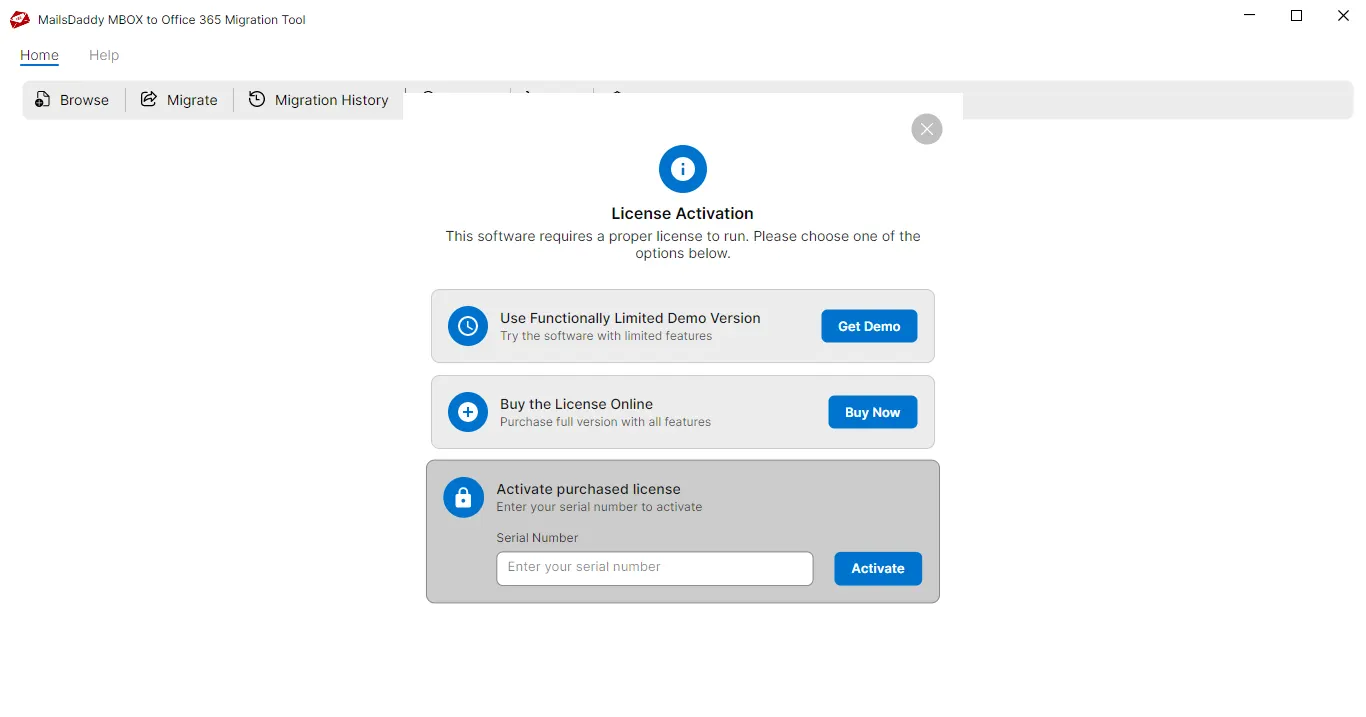
The application automatically launch after your selection
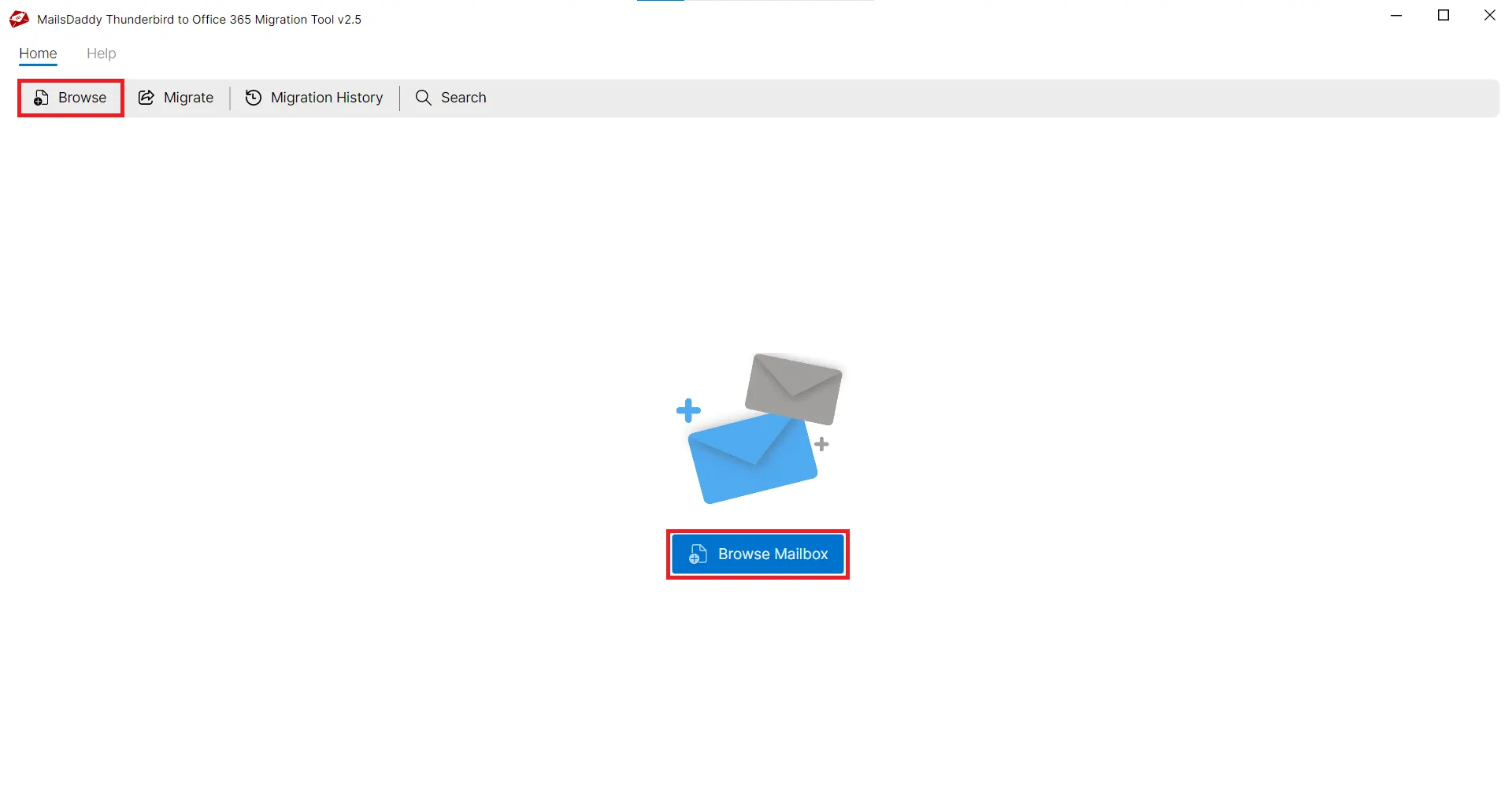
The application automatically launch after your selection. Now go to the Browse mailbox. You will see two options to add Thunderbird mailboxes (Auto Load and Browse) . Click the Auto Load button to automatically detect Thunderbird profiles/folders, then click the Next button. Note: Browse button is also helpful to find Thunderbird profile/folder manually.
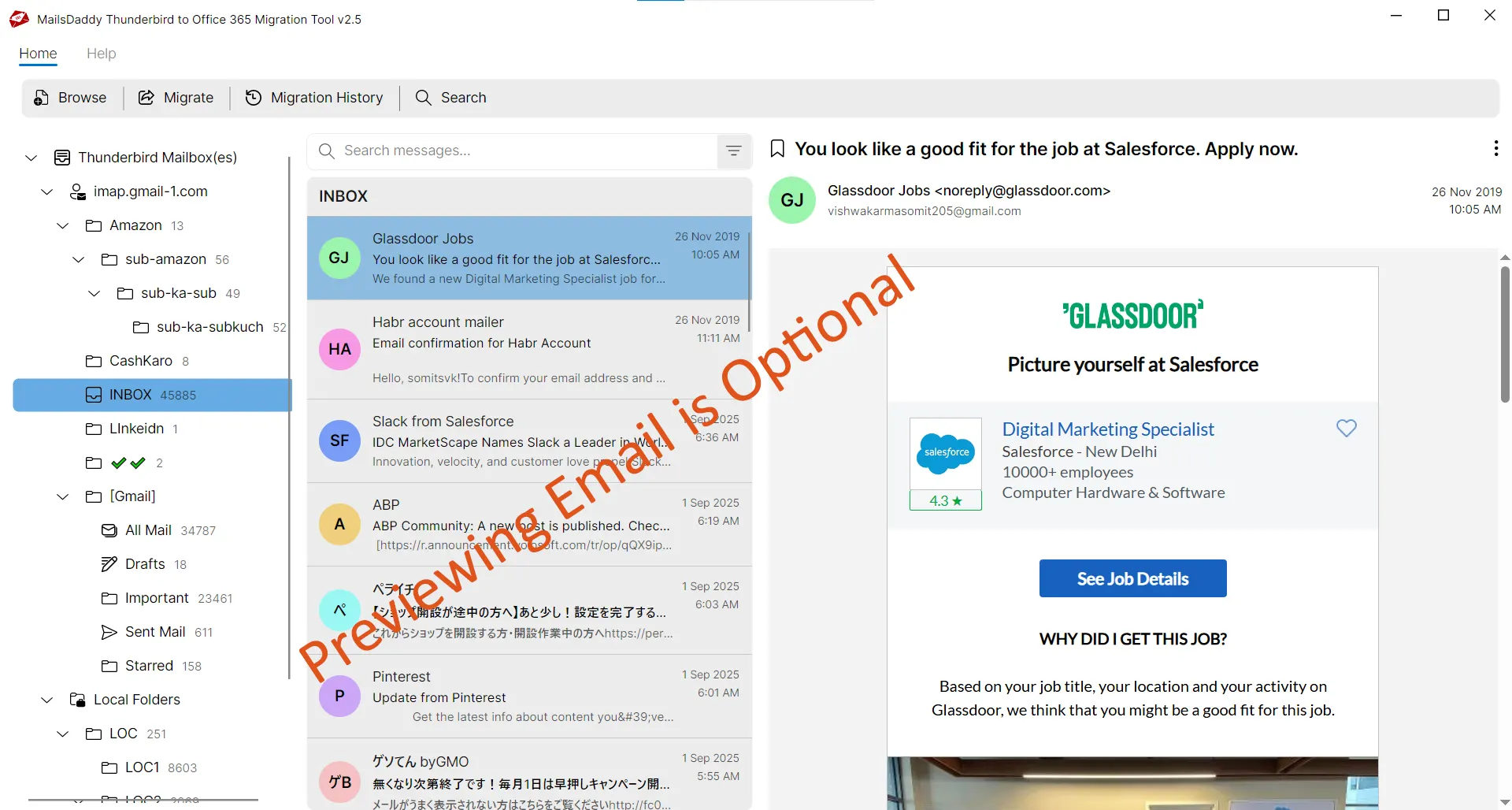
All loaded Thunderbird account files will be displayed in the right-side pane
All loaded Thunderbird account files will be displayed in the right-side pane. You can click on a specific folder to load emails and preview each selected email. If you do not want to view the preview, click the Export button.
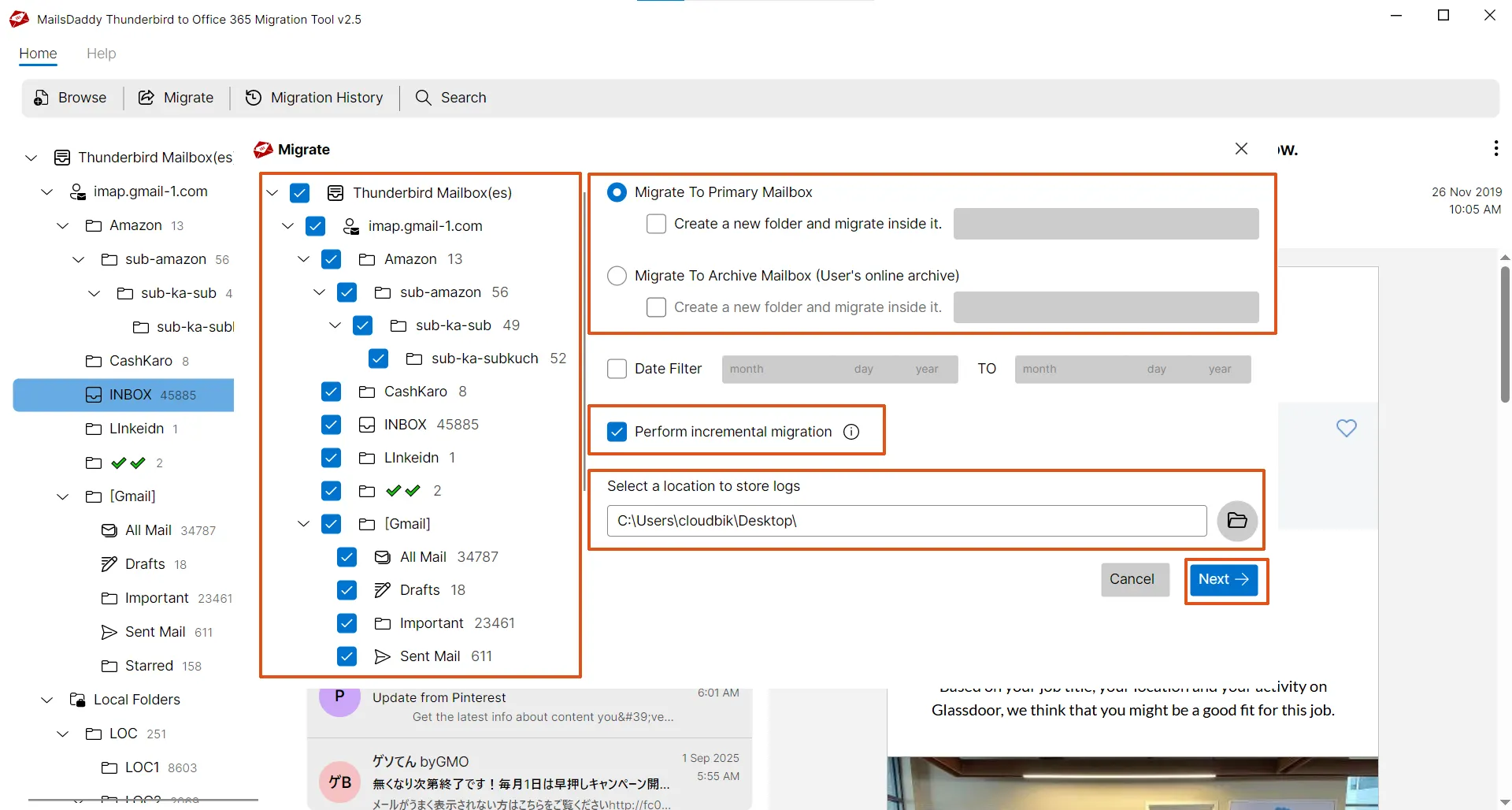
Choose mailbox types: Primary , In-Place Archive , Shared , or Group
Choose mailbox types: Primary , In-Place Archive , Shared , or Group . Users can migrate data to the root folder or assign a new folder for the migration. Folder naming is optional. You can also enable or disable incremental migration and specify the log file location before authenticating the Office 365 account.
Choose an authentication type: Automated or Manual
Choose an authentication type: Automated or Manual . Both are safe options for authentication and migration to the Office 365 cloud.
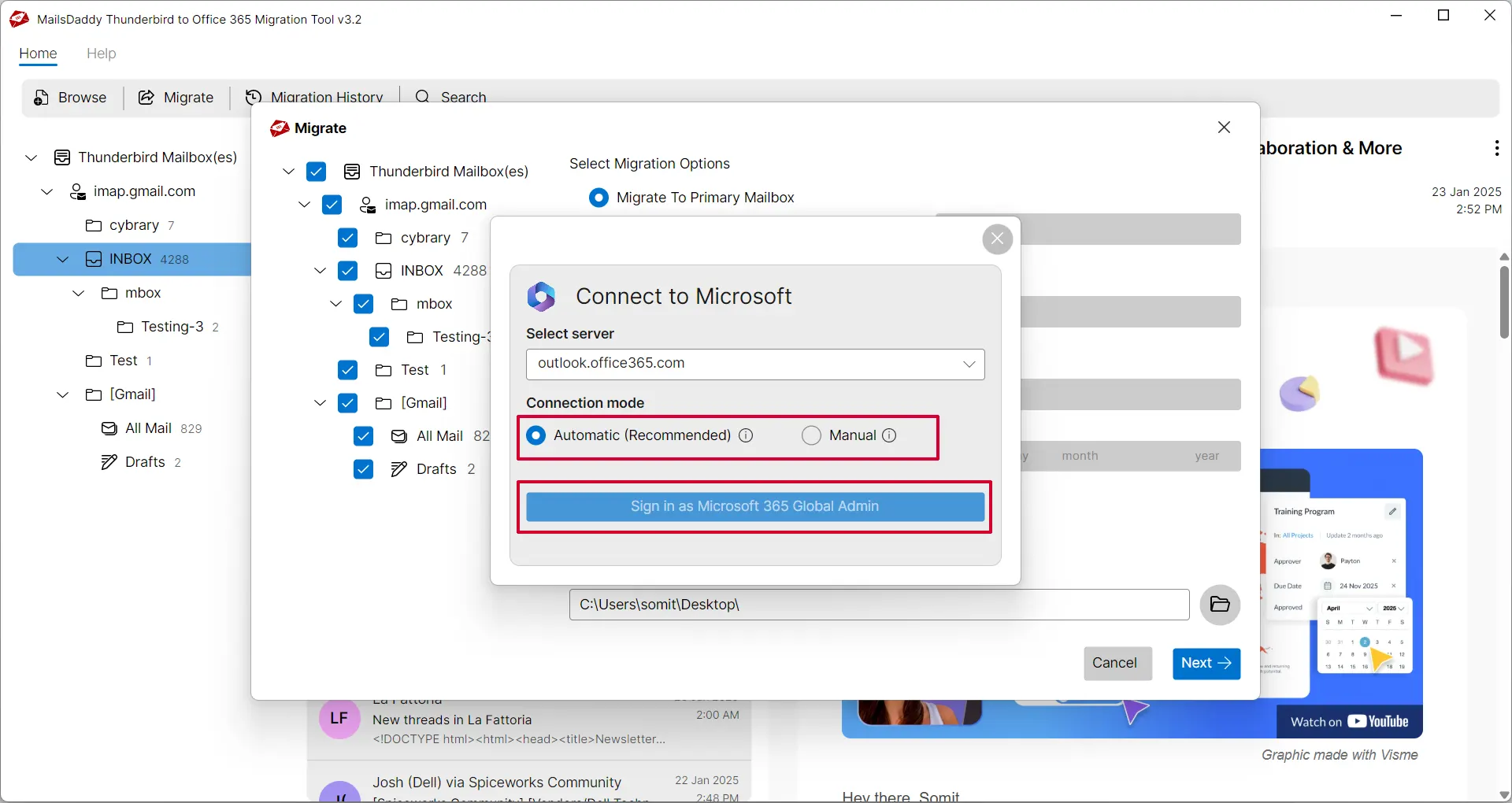
Step 6: Complete Operation
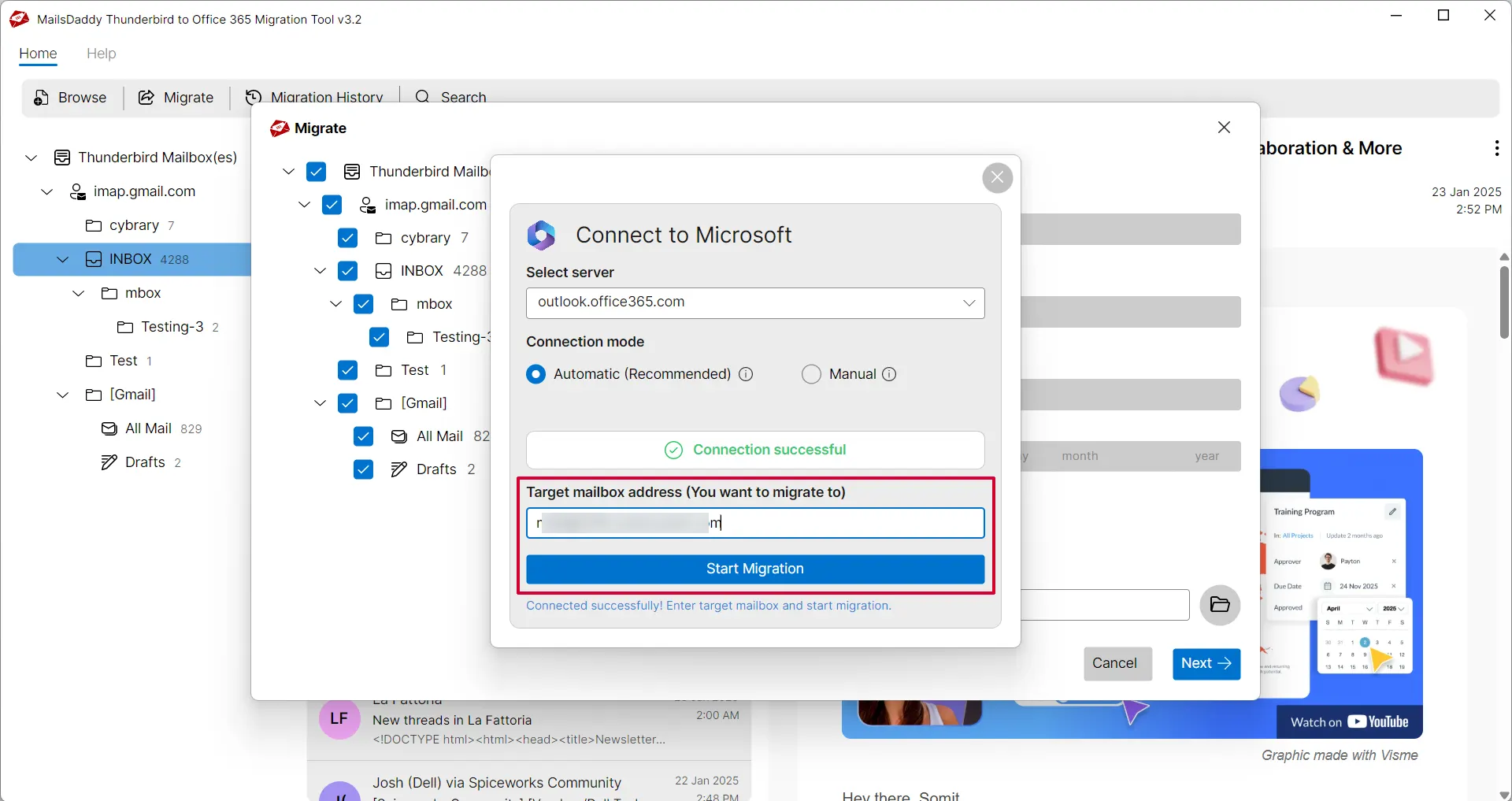
After successful authentication, provide the target email address to start the migration That's it. Wait for the confirmation window.
Ready to Start with Thunderbird to Office 365 Migration?
Download the free trial version to preview all mailbox items or buy the full license for unlimited conversion.