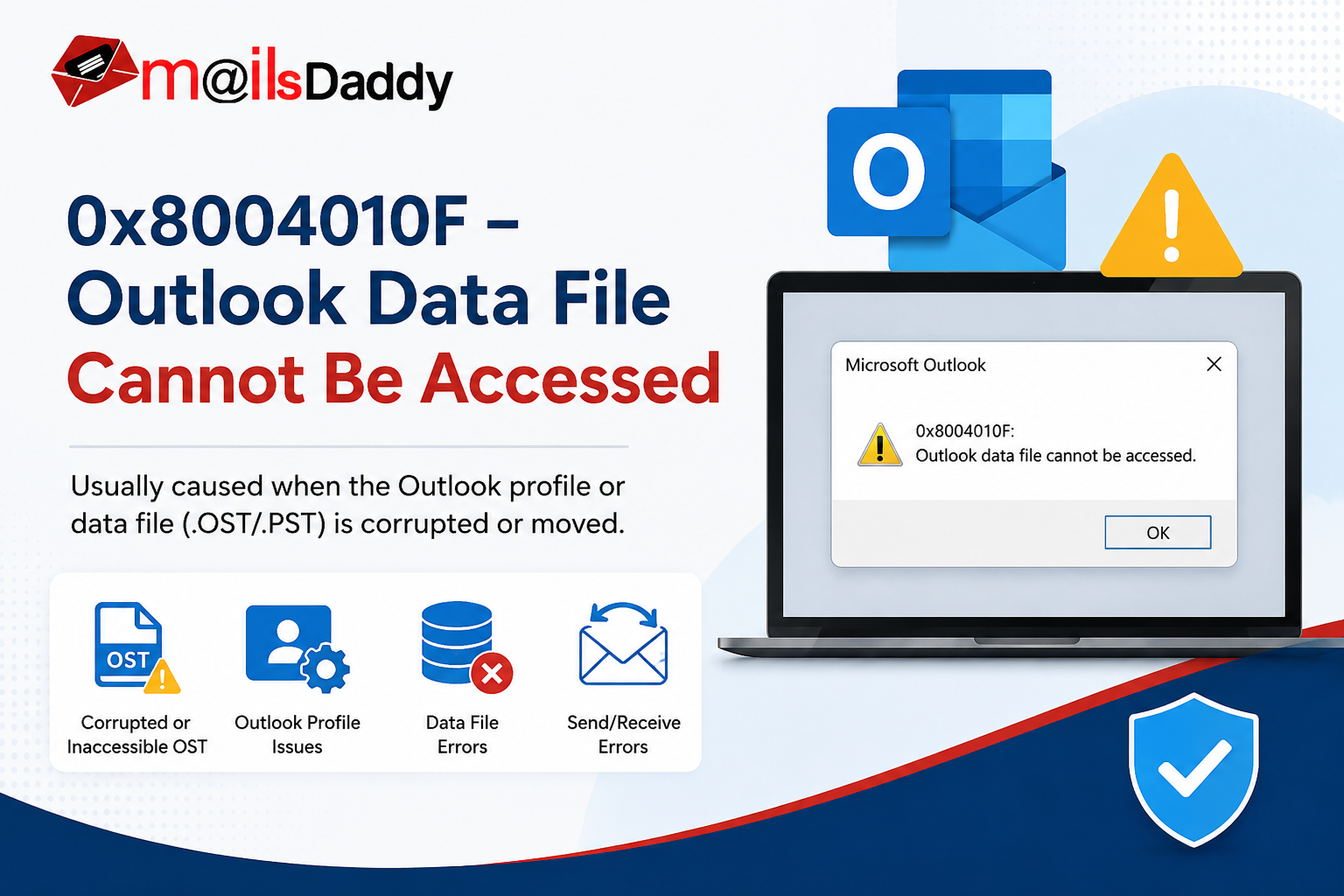
Microsoft Outlook is one of the most demanding email sending and receiving applications for personal and business communication. Sometimes users encounter various bugs and errors that interrupt their workflow. One of the most common issues is the 0x8004010F Outlook Data File Cannot Be Accessed error.
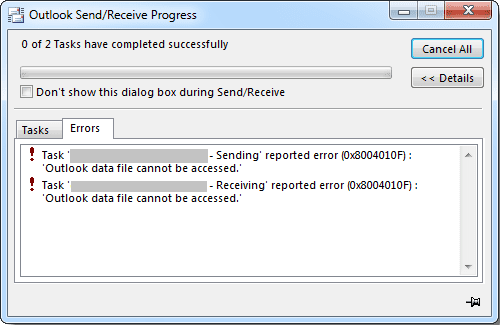
The Outlook error 0x8004010F: Outlook Data File Cannot Be Accessed usually appears when the Outlook profile is damaged or the linked OST/PST file is missing, corrupted, or stored in an incorrect location.
This guide covers the major reasons behind this error, step-by-step manual fixes, and a professional solution to repair and recover your Outlook data efficiently.
What Causes Outlook Error 0x8004010F?
There are several reasons why the Outlook data file cannot be accessed error occurs:
1. Corrupted Outlook Profile: If your Outlook profile becomes damaged, Outlook may fail to locate the data file associated with the account.
2. Damaged OST or PST File: Corruption in the Outlook data file can prevent Outlook from opening or synchronizing mailbox data.
3. Data File Moved to Another Location: If the OST or PST file is moved manually, Outlook loses the path and displays error 0x8004010F.
4. Incorrect Default Data File: The default delivery location configured in Outlook may be incorrect.
5. Improper Outlook Upgrade: After upgrading Outlook or Windows, profile settings may become inconsistent, causing the error.
Symptoms of Error 0x8004010F
When this issue occurs, users may notice:
- Unable to send or receive emails.
- Synchronization failures in Outlook.
- Outlook repeatedly asking for credentials.
- New emails are not downloaded.
- Send/Receive operation fails.
- OST or PST file cannot be opened.
Manual Approches to Resolve This Outlook Error:
Method 1: Create a New Outlook Profile
Creating a new Outlook profile is one of the easiest solutions. Follow these steps tp resolve this erroe:
- Close Microsoft Outlook and open Control Panel.
- Click on Mail (Microsoft Outlook) and select Show Profiles.
- Press Add button and enter a profile name.
- Configure your email account again.
- Select Always use this profile and choose the newly created profile and start Outlook.
If the old profile was corrupted, the error should be resolved.
Method 2: Set the Correct Default Data File
If Outlook points to an invalid PST file, update the default data file. Follow these steps:
- Open Control Panel and click on Mail.
- Select Email Accounts and go to the Data Files tab.
- Choose the correct PST file and click Set as Default.
- After that restart Outlook.
This often resolves the Outlook data file cannot be accessed issue.
Method 3: Repair PST File Using ScanPST.exe
Microsoft provides an Inbox Repair Tool called ScanPST.exe to repair minor PST corruption. For this, use this steps:
- Close Outlook and find ScanPST.exe on your system.
- Open the tool Browse & select the PST file.
- Click Start. If errors are found, click Repair.
- Open Outlook again.
This method works well for small PST corruption issues.
Method 4: Rebuild OST File
If you are using an Exchange, Office 365, or IMAP account, rebuilding the OST file may solve the problem. Follow these steps:
- Exit Outlook.
- Navigate to:
C:\Users\Username\AppData\Local\Microsoft\Outlook- Locate the OST file.
- Rename it, for example:
Outlook.ost → Outlook_old.ost- Restart Outlook.
A new OST file will be created automatically from the mail server.
Method 5: Verify Outlook Account Settings
Incorrect email settings can also trigger Outlook error 0x8004010F. So, verify these details:
- Incoming server settings.
- Outgoing SMTP settings.
- Port numbers.
- Authentication settings.
- Cached Exchange Mode configuration.
Correcting these settings may restore normal Outlook functionality.
What If the OST File is Corrupted or Inaccessible?
The manual methods discussed above are effective only when the Outlook profile is healthy, the mail server is accessible, the OST file can be recreated successfully, and the level of data corruption is minimal. In such situations, creating a new profile, repairing the PST file, or rebuilding the OST file can often resolve the 0x8004010F Outlook Data File Cannot Be Accessed error without much difficulty.
However, many users encounter more complex scenarios where the OST file becomes orphaned, the Exchange server is unavailable, the OST file is severely corrupted, or the Outlook profile cannot be recreated. In addition, users may need to recover important emails, contacts, calendars, and other mailbox items immediately. In these cases, rebuilding the OST file is not a practical solution because Outlook creates a new empty OST file, which does not restore the existing mailbox data and may result in data loss if a proper recovery method is not used.
Professional Solution to Fix Outlook Error 0x8004010F
If the problem still persists after trying all manual methods, go for a professional OST file recovery and conversion tool.. While there are many solutions available online, MailsDaddy OST to PST Converter is one of the best options for resolving this issue. This software is designed to recover OST files and convert them into an accessible PST format—specifically those that are inaccessible, corrupted, or orphaned.
Key Features:
- Convert OST to PST without Outlook installation.
- Recover corrupted OST files.
- Export emails with attachments.
- Preserve folder hierarchy and metadata.
- Convert OST into multiple formats, like: PST, EML. MSG, MBOX, RTF, PDF, HTML and others.
Why Choose an OST to PST Converter?
A professional OST to PST Converter becomes essential when:
- Outlook shows 0x8004010F Outlook Data File Cannot Be Accessed repeatedly.
- The OST file is orphaned.
- Outlook profile is damaged beyond repair.
- Exchange Server is unavailable.
- You need to recover mailbox data urgently.
The software extracts mailbox data directly from the OST file and converts it into a healthy PST that can be imported back into Outlook.
Conclusion
The 0x8004010F Outlook Data File Cannot Be Accessed error usually occurs due to a corrupted Outlook profile, damaged OST/PST file, or incorrect data file configuration. In many situations, creating a new Outlook profile, repairing the PST file, or rebuilding the OST file can fix the issue.
However, if Outlook still cannot access the data file or the OST file has become orphaned or corrupted, using MailsDaddy OST to PST Converter can help recover and convert mailbox data safely. The software enables users to export emails, contacts, calendars, tasks, and attachments into PST and several other formats while preserving the original folder structure.
By following the methods discussed above, you can effectively resolve Outlook error 0x8004010F and regain access to your important mailbox data.
Also Read: Easy way to Resolve Outlook Error 0x80042109 – Outlook Cannot Send Email

Somit Vishwakarma is a technology writer specializing in email management, data migration, Microsoft 365, Outlook, cloud technologies, & software solutions. His areas of expertise include email migration, data backup, recovery, and cloud data management. He also writes informative tutorials covering Python, programming, & emerging technology trends.