
User Query on MailsDaddy Chatbot
“Hi MailsDaddy Team,
I’m getting an error message in Outlook that says ‘0x80040600 – Unknown Error in Outlook Data File.’ Outlook is not working properly, and I cannot access some of my emails. Can you please suggest how to fix this issue?”
If you’ve reached this page because you’re facing the same Outlook error, don’t worry. Recently, one of our users contacted the MailsDaddy support team with this exact problem. Since many Outlook users encounter this issue, I decided to write this detailed guide so everyone can easily resolve it.
In this article, I’ll explain why Outlook error 0x80040600 occurs, what causes it, and the best methods to fix it manually as well as professionally.
What Does Outlook Error 0x80040600 Mean?
The error 0x80040600 – Unknown Error in Outlook Data File generally indicates that Outlook is unable to access or update its PST file properly. The PST file stores your emails, contacts, calendars, notes, and other mailbox data.
When this file becomes corrupted or inaccessible, Outlook may display the following message:
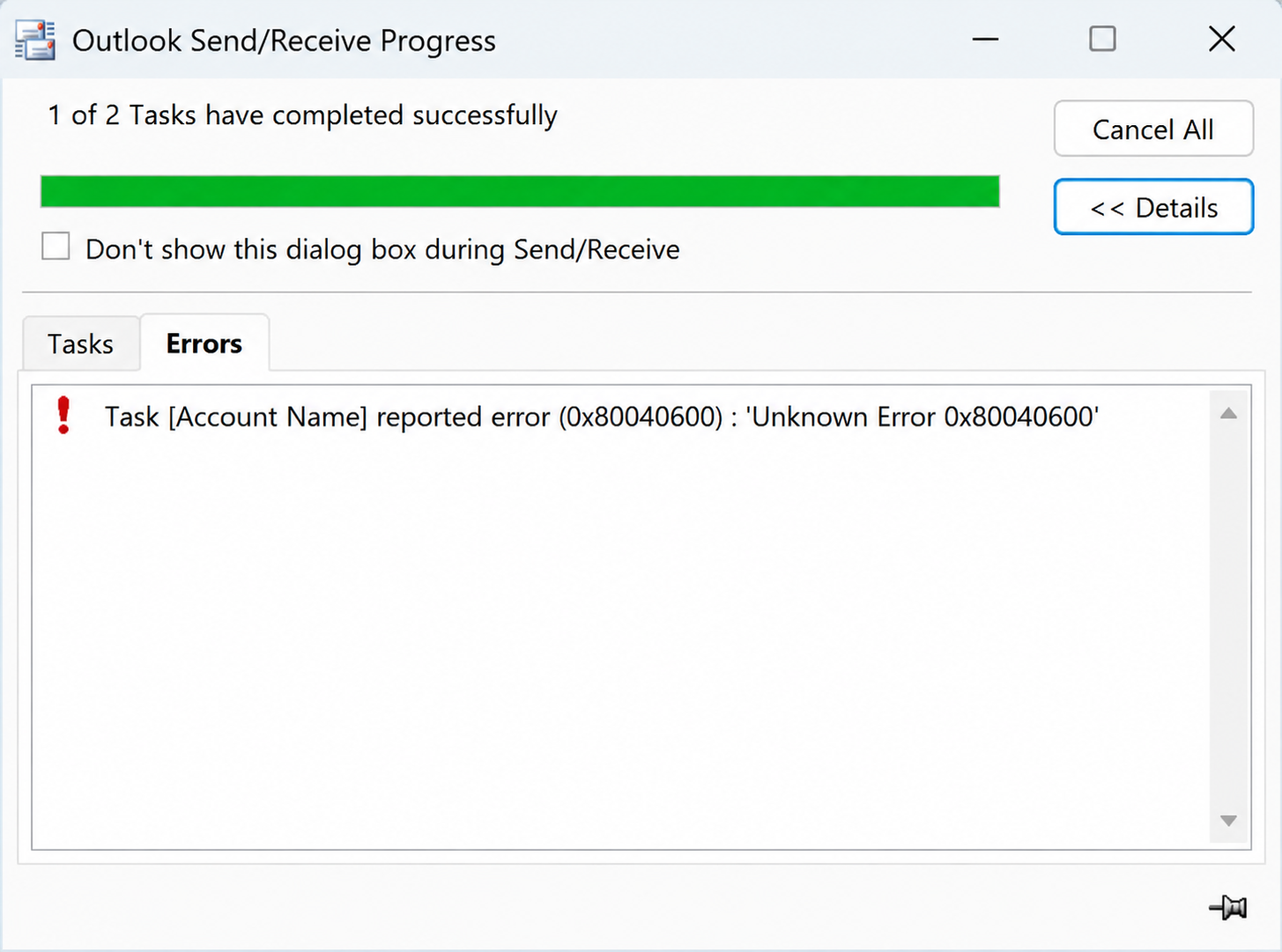
As a result, Outlook may stop responding, crash unexpectedly, or fail to send and receive emails.
Read more: Outlook Live Login Issue
Why Does Error 0x80040600 Occur?
While assisting Outlook users, we’ve found that this error usually appears due to one of the following reasons:
1. Corrupted PST File: A damaged PST file is the most common cause of this Outlook error.
2. Oversized Outlook Data File: Large PST files can become unstable and trigger unexpected errors.
3. Sudden System Shutdown: Power failures or forced system restarts may corrupt Outlook mailbox data.
4. Hard Drive Problems: Bad sectors or disk corruption can affect Outlook data files.
5. Antivirus Interference: Some security applications may interrupt Outlook’s access to PST files.
Solution 1: Restart Outlook and Your Computer
Before attempting advanced fixes, try a simple restart.
Steps:
- Close Outlook completely.
- Restart your computer.
- Open Outlook again.
In some cases, temporary Outlook glitches disappear after a restart.
Solution 2: Repair PST File Using SCANPST.EXE
Microsoft provides a free Inbox Repair Tool called SCANPST.EXE.
How to Use It
- Close your Microaoft Outlook and find SCANPST.EXE on your system.
- Now launch the utility amd Select your Outlook PST file.
- Click on Start. and allow the scan to complete.
- Click Repair if issues are found.
- After repait restart your MS Outlook.
Limitation: Although SCANPST works well for minor corruption, it often struggles with heavily damaged PST files.
Solution 3: Create a New Outlook Profile
Sometimes the Outlook profile itself becomes corrupted.
Steps
- Open Control Panel and select Mail option.
- After that click on Show Profiles and Choose Add.
- Now create a new Outlook profile and configure your email account.
- Set it as the default profile and than launch Microaoft Outlook.
If Outlook opens normally, the old profile was likely causing the problem.
Solution 4: Check Hard Drive Errors
Storage issues can damage Outlook data files.
Steps
- Open Command Prompt as Administrator.
- Run:
chkdsk /f /r - Press Enter.
- Restart the system if prompted.
- Allow Windows to repair any disk errors.
Solution 5: Reduce PST File Size
Large PST files can also increase the risk of corruption.
Recommended Actions
- Delete unnecessary emails.
- Empty Deleted Items folder.
- Archive older mailbox data.
- Compact the PST file through Outlook settings.
This helps improve Outlook stability and performance.
Professional Solution To Fix 0x80040600 Error
If you’ve tried the above methods and Outlook still displays error 0x80040600, the PST file may be severely corrupted. In such cases, we generally recommend using the MailsDaddy PST Repair Tool., The software is specifically designed to repair damaged Outlook PST files and recover mailbox data safely. Fix Unknown Error 0x80040600 Using PST Repair Tool
Key Features
- Repairs severely corrupted PST files.
- Recovers emails, contacts, calendars, tasks, and notes.
- Supports large PST files.
- Preserves original folder hierarchy.
- Compatible with all Outlook versions.
- Generates a healthy PST file after repair.
Read more: Outlook Data File Cannot Be Accessed Error
Final Words
If you contacted us with the question, “How do I fix Outlook unknown error 0x80040600?”, I hope this guide helped you resolve the issue. Start with the manual methods because they’re free and effective for minor corruption. However, if your PST file is seriously damaged and Outlook still refuses to work, the MailsDaddy PST Repair Tool can help repair the data file and restore your mailbox without losing important emails.
If other users are also experiencing the 0x80040600 – Unknown Error in Outlook Data File, they can follow the solutions shared in this article to get Outlook working again.

Somit Vishwakarma is a technology writer specializing in email management, data migration, Microsoft 365, Outlook, cloud technologies, & software solutions. His areas of expertise include email migration, data backup, recovery, and cloud data management. He also writes informative tutorials covering Python, programming, & emerging technology trends.