
MS Outlook is the most popular desktop-based email client developed by Microsoft. How to fix Outlook error is a major question asked by Outlook users. One of the most common error is “An unknown error has occurred. 0x80040119”.
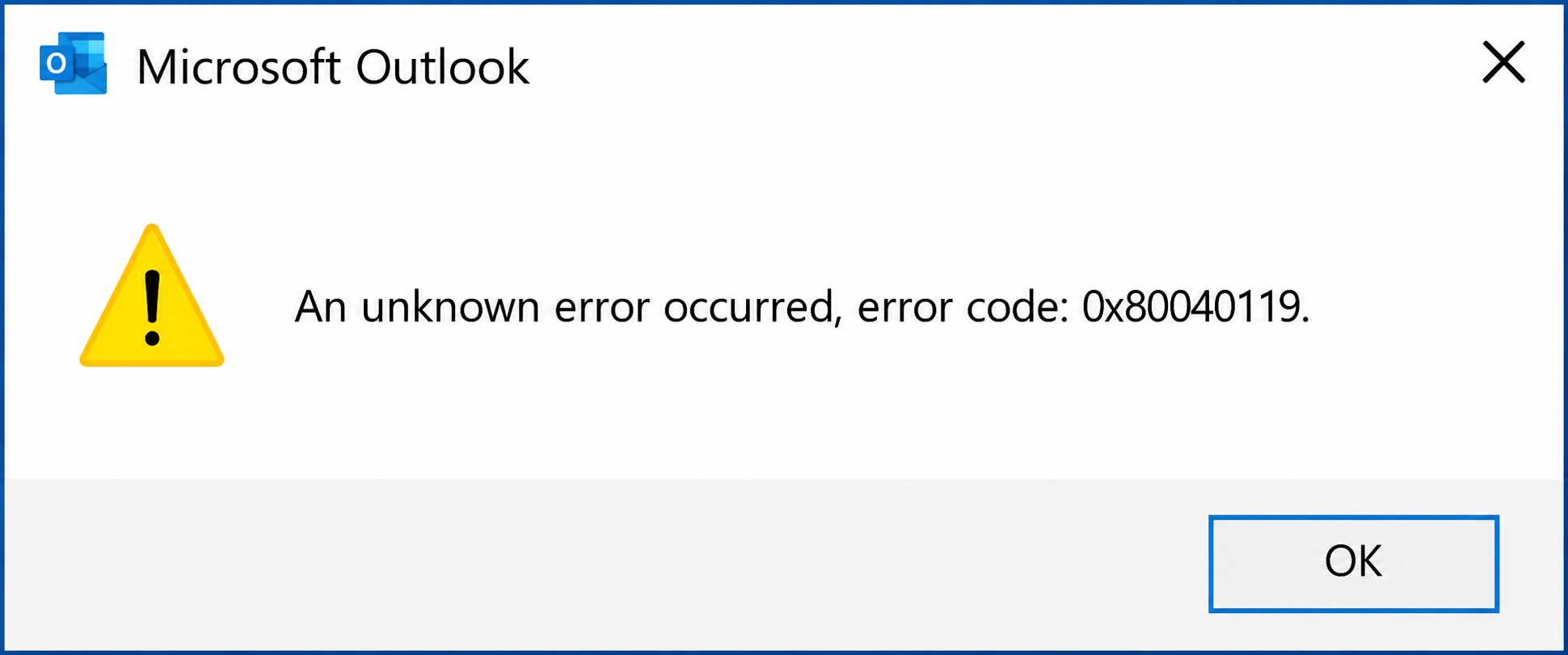
This is a common Outlook issue caused by the PST file becoming excessively large. If you are facing this problem and looking for a way to fix Outlook error 0x80040119, this blog will outline some simple solutions.
I will also discuss the symptoms of Outlook error 0x80040119 and provide some easy tips to help you avoid this issue in the future. I personally resolved the problem using these very methods. So, let’s get started.
Symptoms of error 0x80040119 –
Below are some of the very common symptoms of this error –
- The Outlook Mailbox data become unapproachable.
- Windows will respond slowly to the command of mouse and keyboard.
- All windows of the active program will crash suddenly.
Reasons Behind Outlook Unknown Error 0x80040119
Corruption of Outlook PST – This is one of the biggest reasons behind this error. Some time .pst file of Outlook got damaged due to hardware, software, and many other reasons. This corrupted or damaged PST are an invitation for Outlook error 0x80040119.
Virus and Malware – Another major issue behind the error is the presence of viruses and malware in your computer system. These viruses interrupted the normal working of MS Outlook and because of this, you face error in Outlook.
Connectivity issue with Mail Server – Due to a connection problem with the mail server, the Outlook doesn’t work normally and you have to face Outlook error.
Incorrectly Configured of Outlook account – This also one of the most common causes behind the happening of Outlook error 0x80040119.
Oversized PST file – Unwanted enlargement of a personal storage table can also lead to the development of this error. Because large PST is more prone to viruses and malware.
These are some of the very common reasons behind the unknown error 0x80040119 accrue in MS Outlook. Now let’s talk about some simple steps to overcome this error.
Manual Method to Fix Outlook error 0x80040119.
As it has come to light, that corrupted PST file is one of the top reasons behind the trigger of this error. So I am going to tell how you can repair all the corrupted components of a .pst file with the Inbox repair tool.
1 – Make sure all apps related to Outlook and Outlook itself closed completely.
2 – Download the Inbox repair tool in your system and install it. (it is completely free).
3 – Run the Application >> on the first screen click on Advanced option.
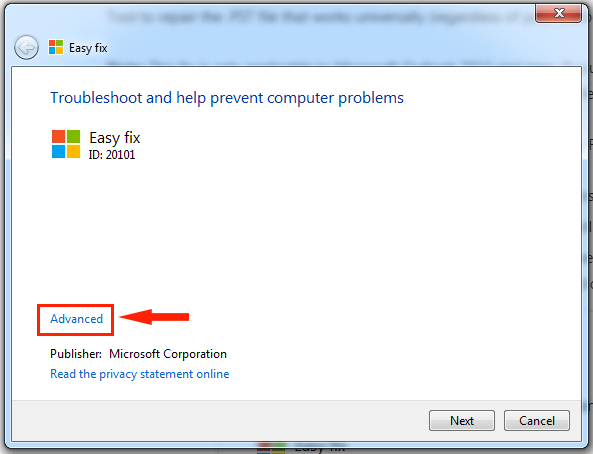
4 – Mark Apply repair automatically to tick >> Press Next.
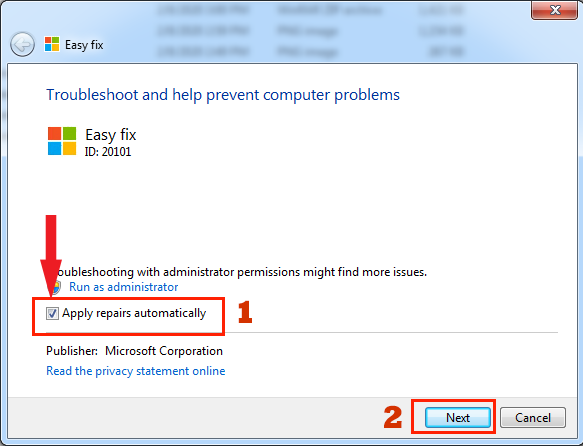
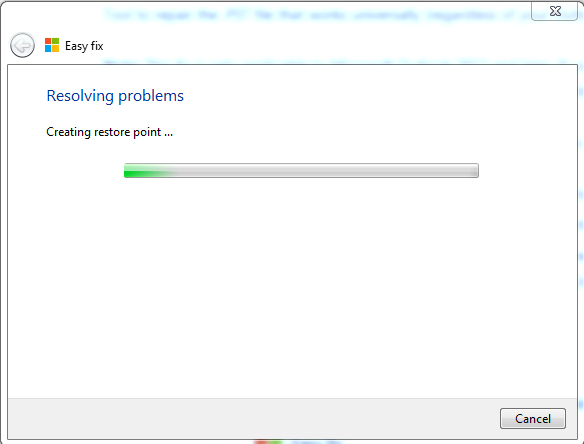
The scanning process starts and if the system found any problem it will inform you about the strategy of repair.
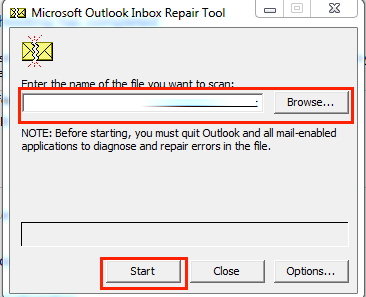
5 – On the Microsoft Outlook Inbox repair Window Click on Browse to the location of PST in your system. The default location of the .pst file is C:\Users\ AppData\Local\MicrosoftOutlook. >> Press Start.
6 – Once the process is complete check whether the issue is resolved.
In most cases, this method will work but if still, you are receiving the 0x80040119 Outlook error then, you can try these tips to fix it.
1 – Reconfigure MS Outlook Account.
2 – Reinstall MS Outlook.
3 – Update Windows.
4 – Check for viruses and malware.
Best Method to Repair Corrupted PST Files
If you are unable to get the success in repairing the corrupted, damaged, or inaccessible Outlook PST mailbox data by using the above method, then the third-party solution is the only option to try. Download the free DEMO version of the MailsDaddy Outlook PST Repair software. It allows PST file recovery without altering the original database. It maintains the original folder hierarchy and repairs a highly corrupted PST mailbox. Along with Outlook PST Repair, it exports into a frwst PST file and other file formats like EML, MSG, MHTML, and MBOX file format. For more options or download the free DEMO version of the Outlook PST Repair tool, please visit the official website.
Winding Up
I hope this short blog helps you to fix Outlook error 0x80040119, In case you have any problem then don’t feel shy to contact us. We are always happy to help you. If you have any doubts in any step then, you can ask us in comments.