

Based on user feedback and common Outlook usage patterns, it is clear that Microsoft Outlook is one of the most widely used email clients across businesses and organizations. It offers a range of advanced features that make email management, communication, and productivity easier for users.
However, despite its reliability, users often face technical issues that interrupt normal email operations. One such common issue is Outlook error 0x800ccc0f, which usually appears during sending or receiving emails.
In this article, we will understand what causes this error and how to fix it step by step.
What is Outlook Error 0x800ccc0f?
The Outlook error 0x800ccc0f generally occurs when an SMTP-based email sending or receiving process fails due to a disrupted connection with the mail server.
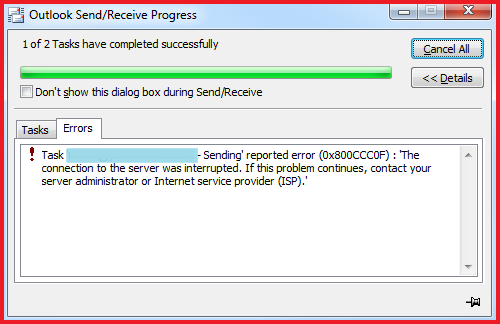
Typical error message looks like:
“Task ‘… Sending’ reported error (0x800ccc0f): The connection to the server was interrupted. If the problem continues, contact your server administrator or Internet service provider (ISP).”
This indicates that Outlook is unable to maintain a stable connection with the mail server.
Common Causes of Outlook Error 0x800ccc0f
There are several reasons why this issue may occur:
- Unstable or slow internet connection affecting server communication
- Incorrect Outlook account configuration (POP3/SMTP settings)
- Corrupted Outlook profile or Exchange server connection issues
- Firewall or antivirus blocking incoming and outgoing emails
- Sudden system shutdown or power failure during synchronization
- Oversized or corrupted PST file
- Damaged or corrupted OST file
How to Fix Outlook Error 0x800ccc0f
Follow the methods below to resolve this issue effectively:
1. Check Internet Connection
Ensure your internet connection is stable. Restart your router or switch networks if required. A weak connection is one of the most common triggers for Outlook error 0x800ccc0f.
2. Verify Outlook Account Settings
Incorrect settings can disrupt email communication. Check the following:
- Email username and password
- POP3/IMAP and SMTP server details
- Port numbers and encryption settings
If the issue persists, create a new Outlook profile to rule out profile corruption.
3. Disable Antivirus and Firewall Temporarily
Security software may block Outlook’s network access.
- Disable Windows Defender real-time protection temporarily
- Turn off Windows Firewall for testing purposes
If Outlook starts working, adjust firewall rules instead of keeping them disabled permanently.
4. Start Outlook in Safe Mode
Safe Mode helps identify whether add-ins are causing the issue.
Steps:
- Press Windows + R
- Type:
Outlook.exe /safe - Press OK
If Outlook works fine in Safe Mode, disable suspicious add-ins.
5. Remove Suspicious Emails
Malicious or corrupted emails can interrupt synchronization. Check your inbox and delete any suspicious or unreadable emails.
6. Repair Corrupted OST File
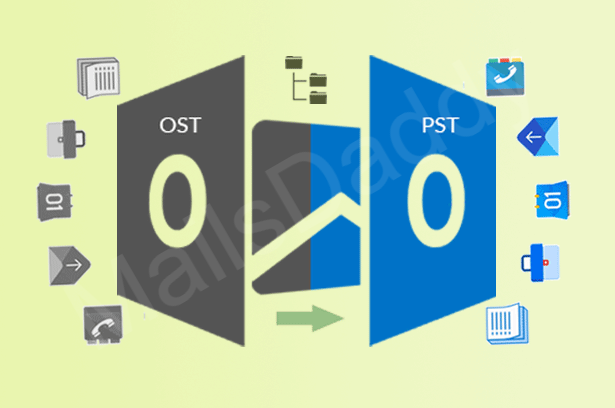
A damaged OST file is a major reason behind synchronization failures. You can use built-in repair tools, but in severe cases, it may be necessary to convert OST file into Outlook PST for recovery and access.
Converting OST to PST helps restore mailbox data in a healthy Outlook-compatible format.
7. Fix Oversized PST File
Large PST files can slow down Outlook and trigger errors like Outlook error 0x800ccc0f. To resolve this:
- Archive old emails
- Delete unnecessary items
- Use a PST split method to divide large files into smaller ones
Conclusion
The Outlook error 0x800ccc0f is mainly caused by network issues, incorrect settings, or corrupted data files like PST and OST. By following the troubleshooting steps above, users can effectively restore normal email functionality.
In cases of file corruption, repairing or choosing to convert OST to PST can help recover important mailbox data and prevent future disruptions.
Read More:- Method to fix Microsoft Outlook error 0x80070002