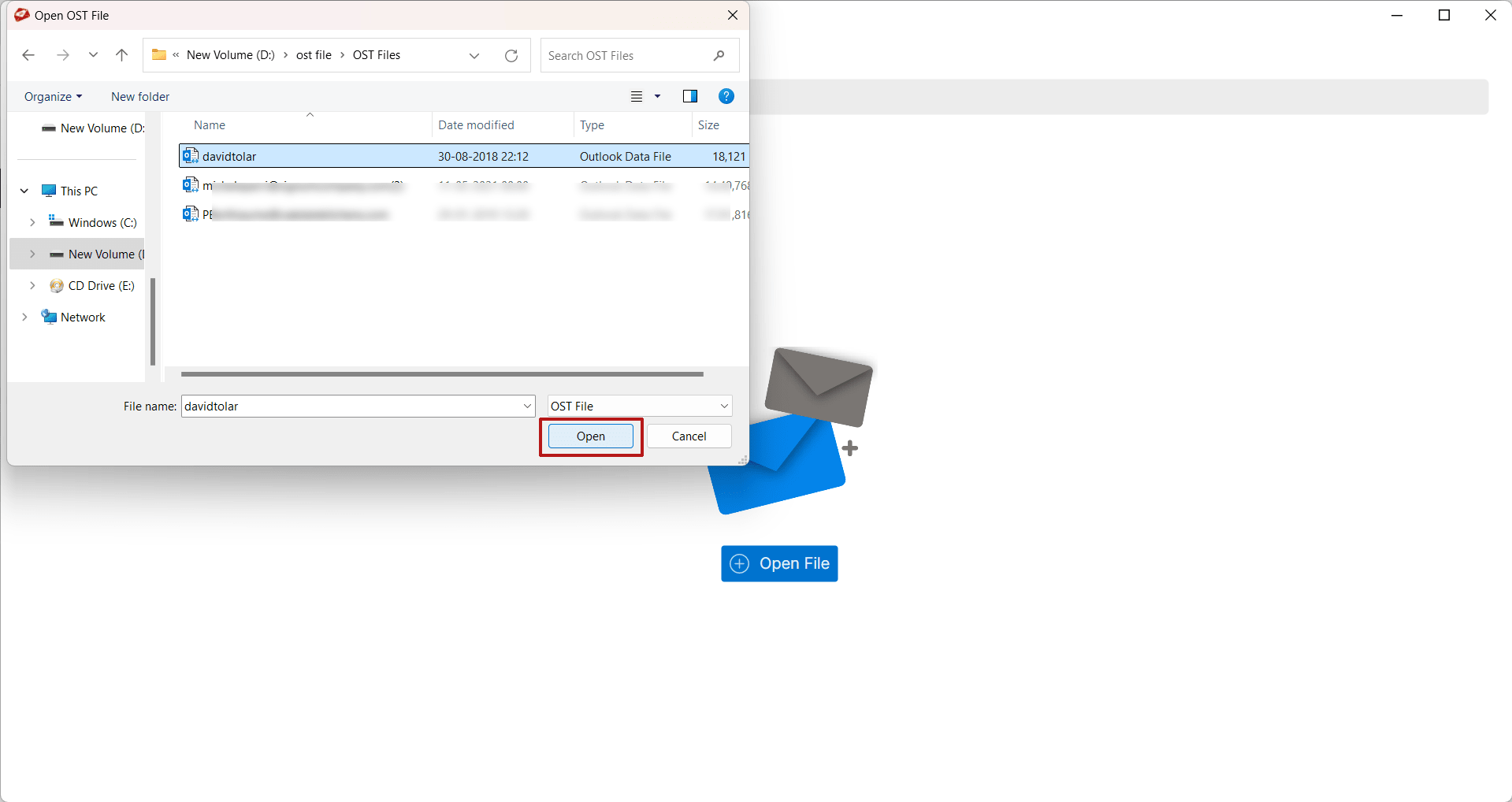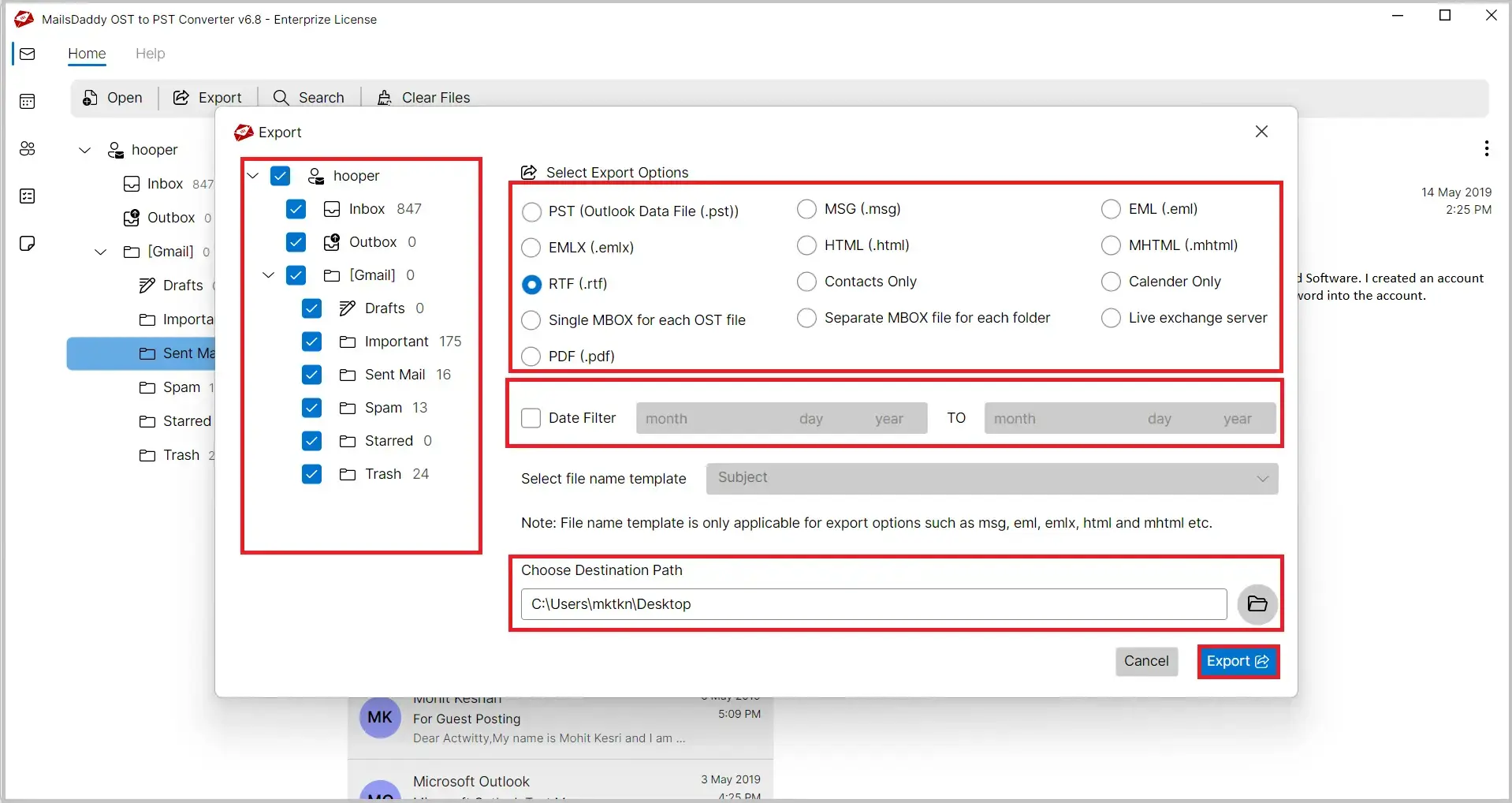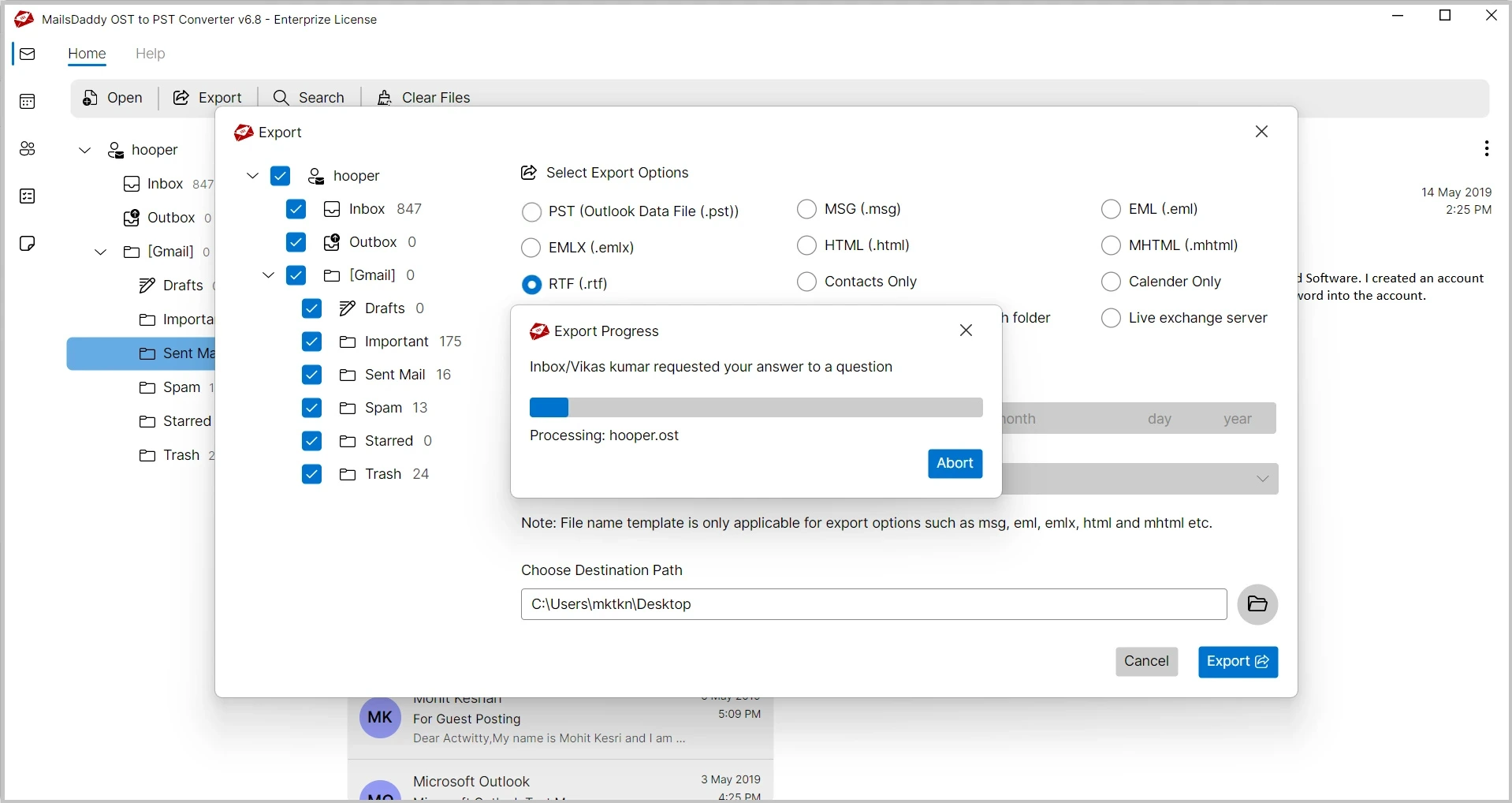
MailsDaddy OST to RTF Converter is an efficient and user-friendly solution for users who need to convert OST to RTF format with complete accuracy. The software exports Outlook OST emails into Rich Text Format (RTF) while preserving the original email content and text formatting. The dedicated OST to RTF module is specially designed for users who want to save Outlook emails as editable and shareable RTF documents for archiving, documentation, or printing purposes.
 See our Reviews on Trustpilot
This solution allows users to convert Outlook OST emails into RTF with complete accuracy. The software preserves the original email content and formatting during the conversion process. Each email is saved as a separate RTF file for easy access.
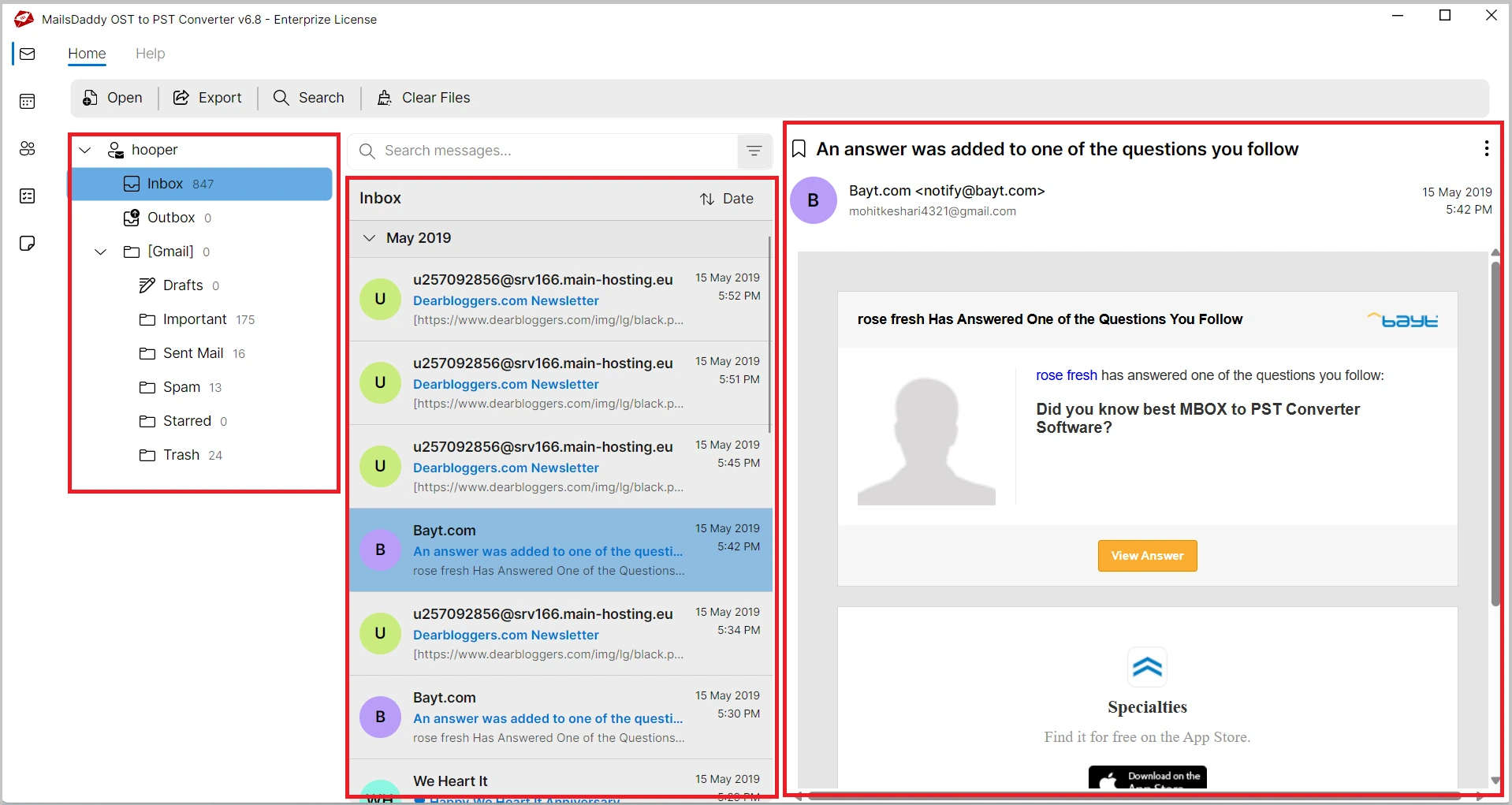
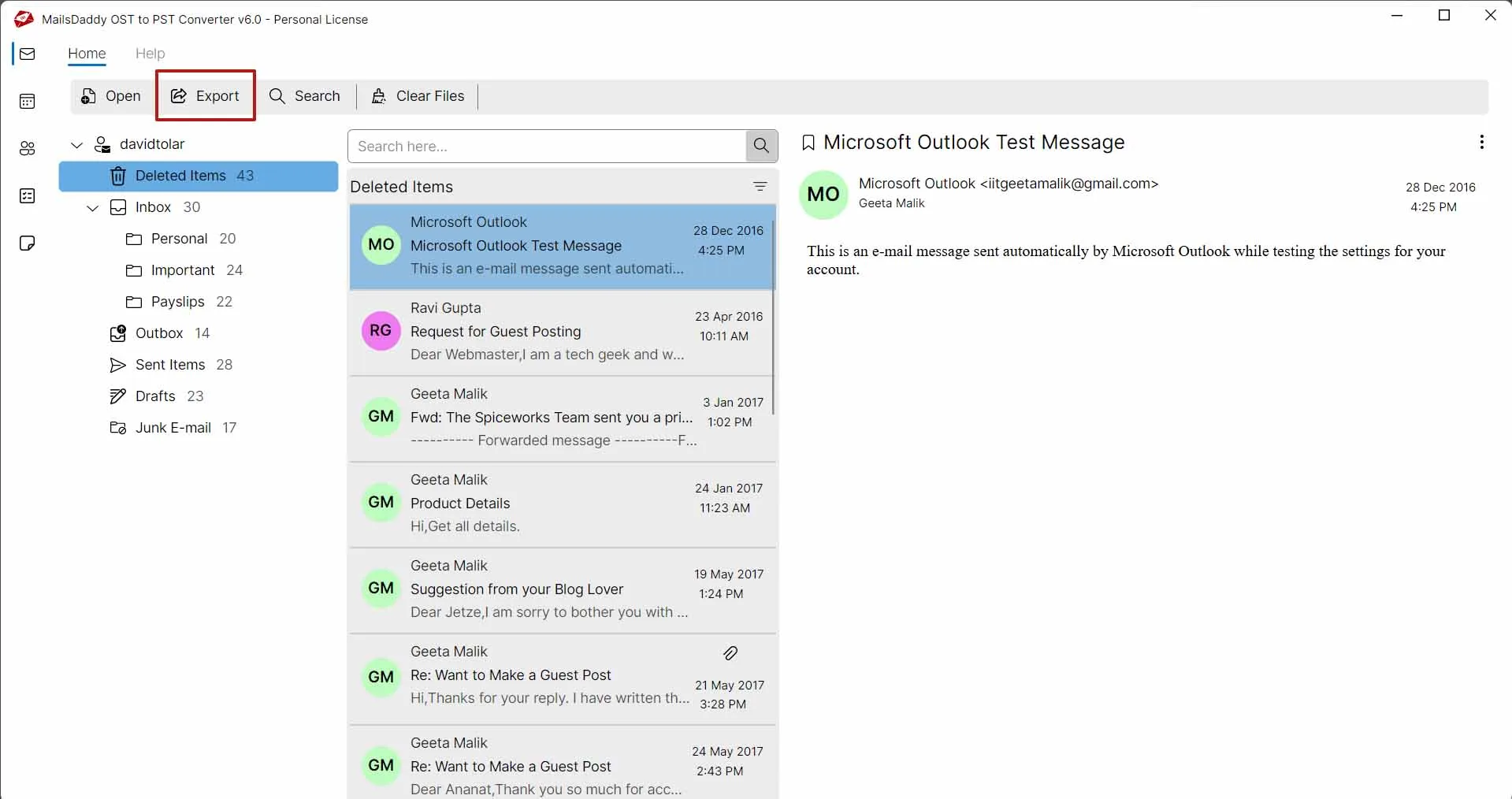
MailsDaddy OST to RTF Converter provides a complete preview of mailbox items before conversion. Users can view emails, contacts, calendars, tasks, notes, and journals to verify mailbox data. This feature helps users export only the required emails with confidence.
The software supports healthy as well as corrupted OST files. Its advanced scanning engine retrieves accessible mailbox information and converts emails safely into RTF format. The original mailbox data remains unchanged throughout the process.
In addition to RTF, it offers multiple export options to meet different user requirements. The software can convert OST files to PST, EML, MSG, MBOX, PDF, HTML, and Exchange Server, while also exporting Outlook contacts in VCF format and calendar entries in ICS format.
This tool automatically generates a detailed log file after the conversion process. The log contains important information such as the conversion date, export status, and any processing details. This feature helps users keep a complete record of the OST to RTF conversion.
The software comes with an advanced search feature that helps users quickly locate specific emails within large OST mailboxes. Users can search emails using various criteria such as To, From, Subject, Date Range, and Keywords to find the required messages easily.
The software maintains the original formatting of Outlook emails while exporting them to RTF format. It preserves font styles, paragraph formatting, and hyperlinks without any modifications. This ensures that exported RTF files retain the same appearance as the original emails.
It supports batch conversion to export thousands of emails simultaneously. Users can process large OST mailboxes efficiently without compromising performance or data accuracy. This feature is ideal for organizations and users handling extensive mailbox data.
MailsDaddy OST to RTF Converter maintains the original folder hierarchy during the complete export process. All folders and subfolders are preserved exactly as they exist in the OST mailbox. This feature helps users keep mailbox data organized and easy to navigate.

MailsDaddy OST to RTF Converter provides a secure and reliable conversion environment for users. The original OST file remains safe and unchanged during the export process. All emails are converted accurately without any risk of data loss.
MailsDaddy OST to RTF Converter is compatible with all major Microsoft Outlook versions. It supports Outlook 2021, 2019, 2016, 2013, 2010, 2007, and earlier editions seamlessly. OST files from different Outlook versions can be converted without issues.
The software works smoothly on all popular Windows operating systems and Server editions. It supports Windows 11, 10, 8.1, 8, 7, Vista, and Windows Server versions. Users can perform OST to RTF conversion in any supported Windows environment.
Email: Emails are the most important part of any Outlook mailbox as they contain valuable communication data and essential email properties. MailsDaddy OST to RTF Converter accurately exports OST emails to Rich Text Format (RTF) while preserving the original email content, formatting, and metadata throughout the conversion process, including:
Folders: Folders play an important role in organizing mailbox data and managing emails efficiently within an Outlook OST file. An OST mailbox may contain various default and user-created folders that help categorize email messages and maintain a structured mailbox environment, such as:
MailsDaddy OST to RTF Converter preserves the original folder hierarchy during the conversion process, ensuring that all folders and subfolders remain organized exactly as they appear in the source OST file.

MailsDaddy OST to RTF Converter is equipped with an advanced scanning engine that deeply scans OST files and loads complete mailbox data for preview and export. The software efficiently handles healthy, orphaned, inaccessible, and corrupted OST files to ensure smooth and accurate OST to RTF conversion.
MailsDaddy OST to RTF Converter provides an advanced search feature to locate specific emails from large OST files quickly. Users can search mailbox items using different criteria and export only the required emails to RTF format.


For users managing large Outlook mailboxes, MailsDaddy OST to RTF Converter provides an efficient batch conversion feature to export multiple emails at once. The software processes large OST files quickly and saves each email as an individual RTF file while preserving its original formatting and properties.
The software automatically creates a detailed log file after completing the OST to RTF conversion process. The log contains conversion status, mailbox details, and export information for future reference and tracking.

Thousands of users trust MailsDaddy OST to RTF Converter because of its simple interface, accurate results, and smooth OST to RTF conversion process. The software has earned positive feedback from satisfied customers worldwide for its reliability and performance. Read what our users say about their experience from here.
MailsDaddy OST to RTF Converter exported my Outlook emails into RTF format with complete formatting and structure preserved. The software is fast, easy to use, and handles large OST files smoothly.

The preview option and selective export features are very useful. I was able to export important emails to RTF without any data loss or formatting issues.

The software converted my orphaned OST file successfully and maintained all email properties throughout the export process. A dependable OST to RTF conversion solution.
Yes, the software supports healthy, orphaned, inaccessible, and corrupted OST files.
Yes, all email formatting such as fonts, text styles, and hyperlinks are preserved during OST to RTF conversion.
Yes, the software provides a complete preview of emails and mailbox items before exporting.
Yes, users can export selected emails, folders, or complete mailbox data according to their requirements.
No, Microsoft Outlook installation is not required to perform OST to RTF conversion.
Yes, there is no file size limitation and large OST files can be processed smoothly.
Yes, use the date filter option to easily export the specific date emails to RTF file format.
Yes, this application support all version of ANSI/Unicode OST file.


At MailsDaddy, customer satisfaction is our highest priority. Our technical support team is available to assist users during installation, activation, and conversion processes. Whether you have a technical query or need guidance regarding OST to rtf conversion, our experts are ready to help.