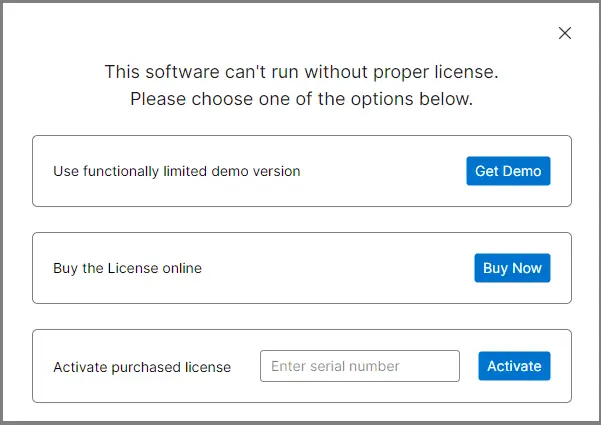
Step 1: First Download and run the MailsDaddy PST to Rediffmail Migration tool. Click on the 'Get Demo' button or activate (if a license is available).
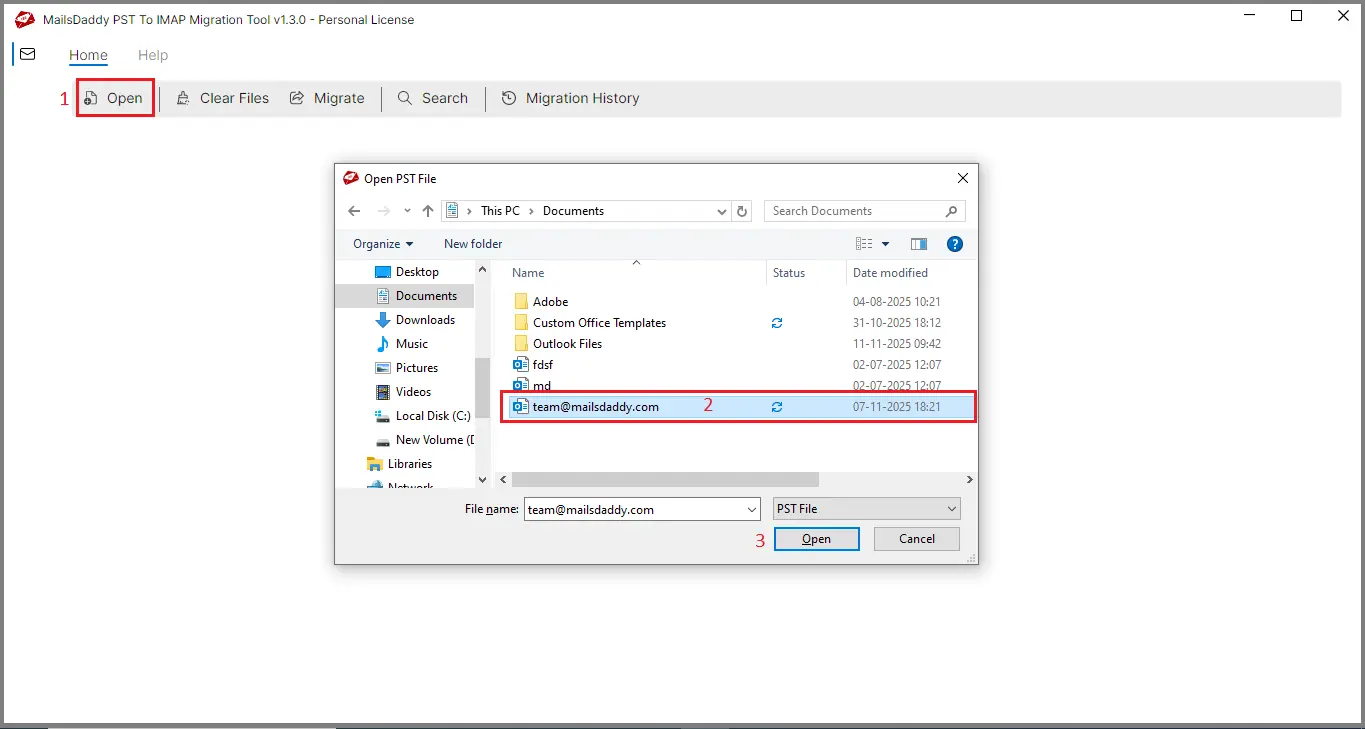
Step 2: Click on the Open and add the PST files that you want to migrate.
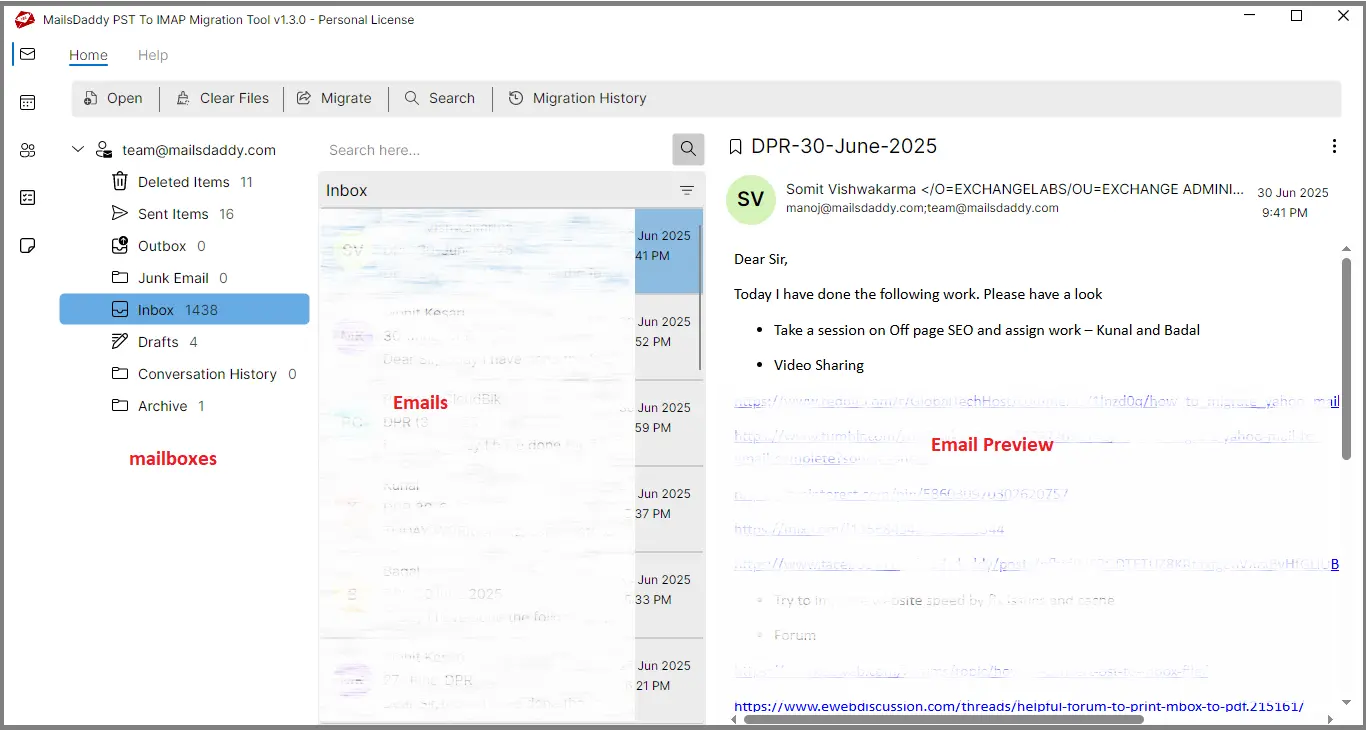
Step 3: The software automatically analyzes the PST file and displays the preview of all mailbox content.
Step 4: Go to the Migration tab and select all folders or specific ones as needed.
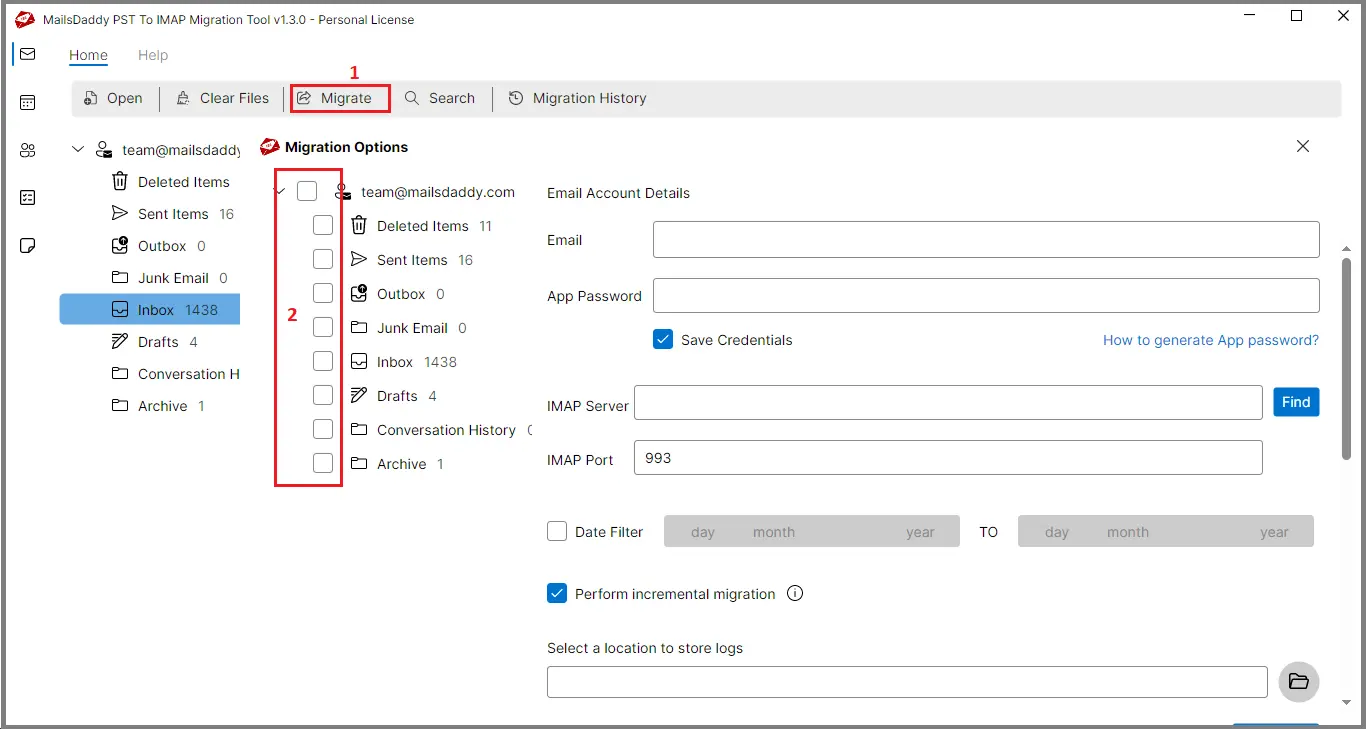
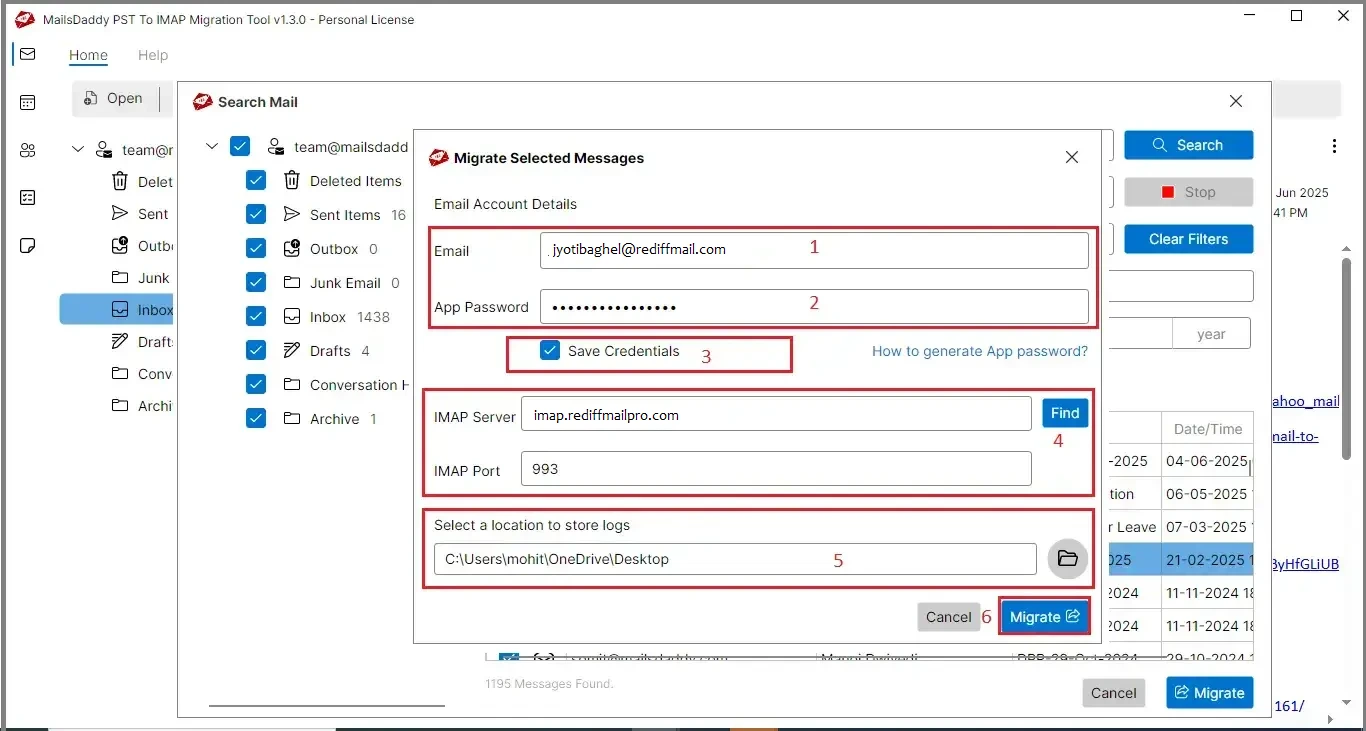
Step 5: Enter your Rediff Email address and App password. If you forgot or lost the app password and want to know how to generate it, then click on How to Generate App Password for guidance.
Step 6: Choose whether you want to enable or disable the "Save Login Information" option as needed.
Step 7: The tool auto-detects Rediffmail server settings. If server details don't appear, click on Find to fetch them manually.
Step 8: To migrate emails from a particular period, use the Date filter option; otherwise, ignore. It is optional.
Step 9: Enable Performance Incremental Migration Option. If you want to skip duplicate emails already present in your Rediffmail account.
Step 10: Click on the Browse icon and select the location where to save the migration log report.
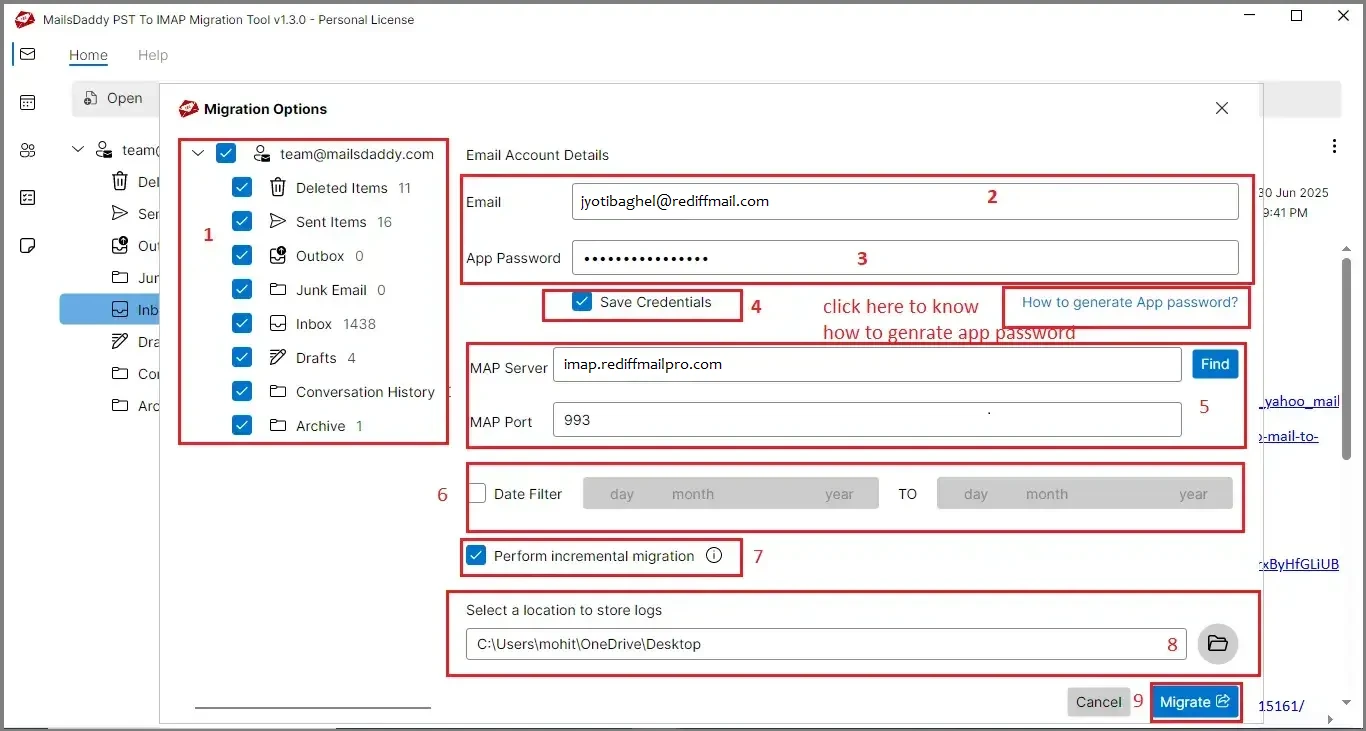
Step 11: Finally, click on the Migrate button to start the PST to Rediffmail migration process and wait until it completes.
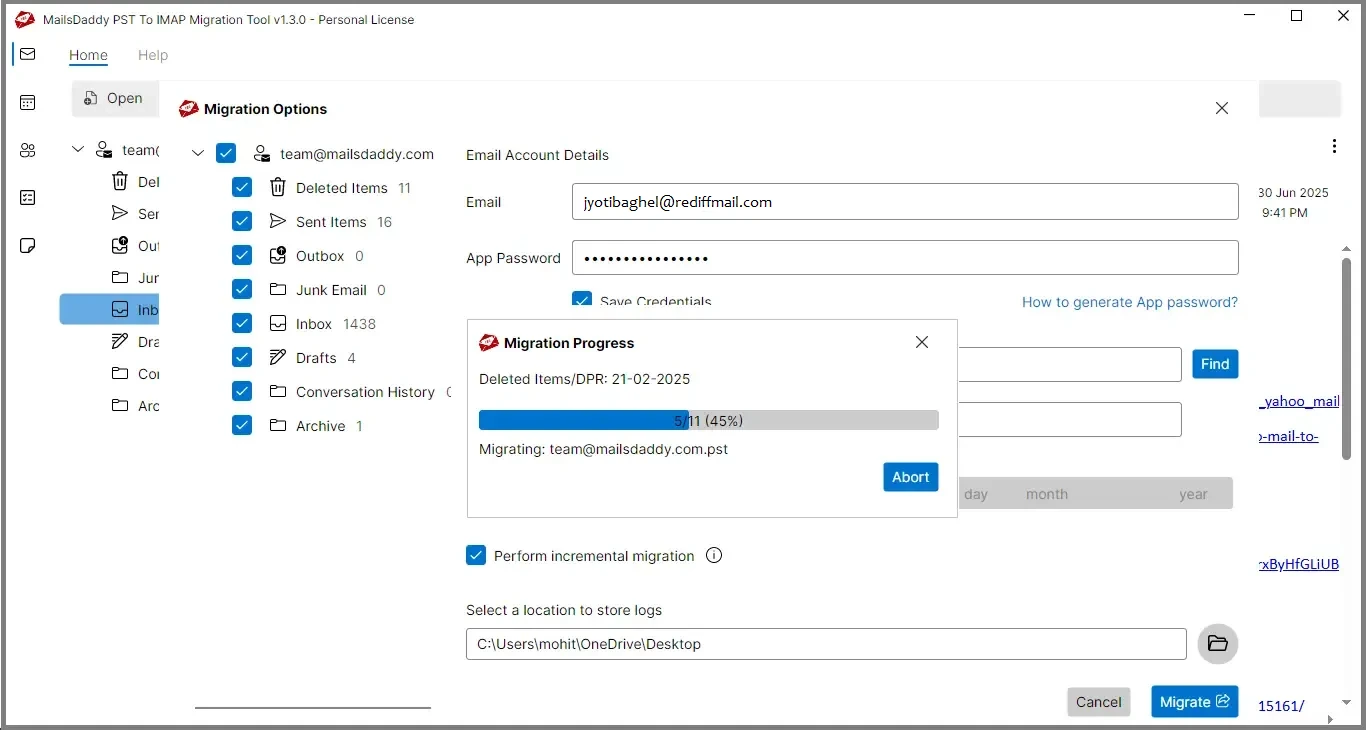
This will show you all the required data, but you must have a valid license to export.
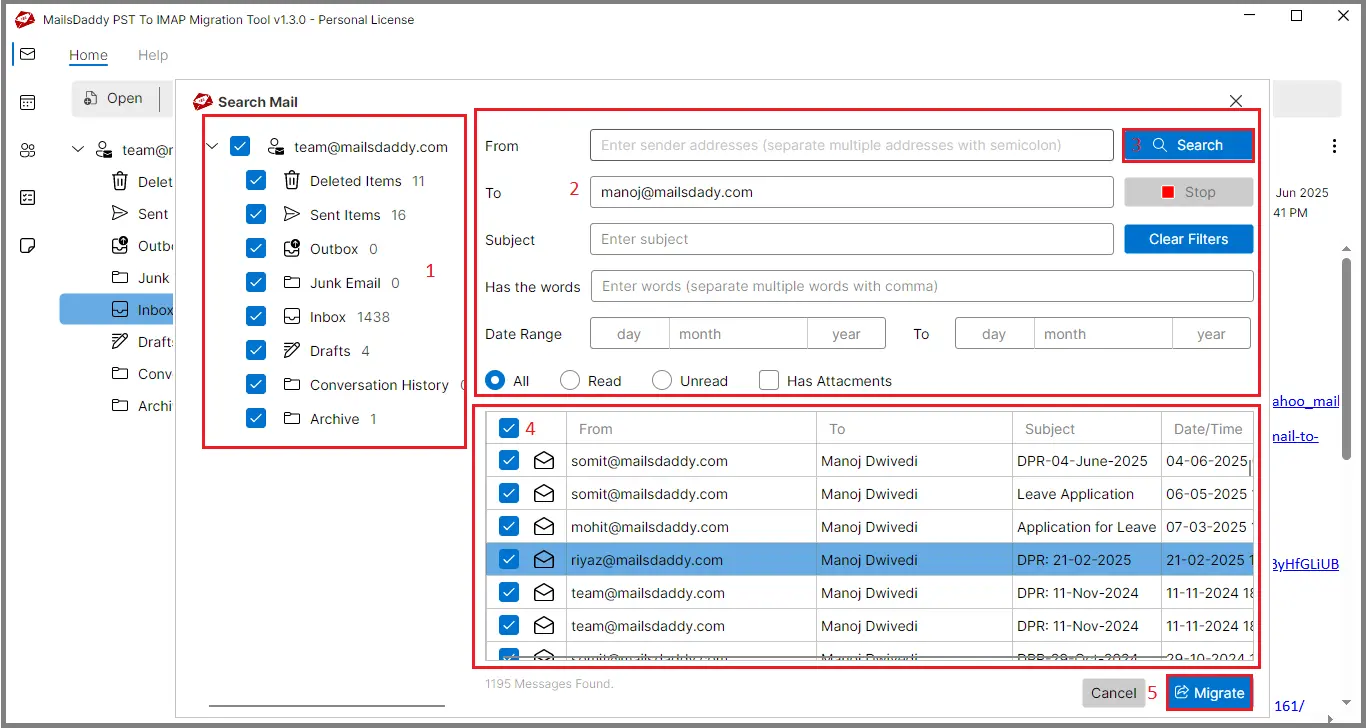
Step 1: Open Search tab to migrate selective data from PST to Rediffmail.
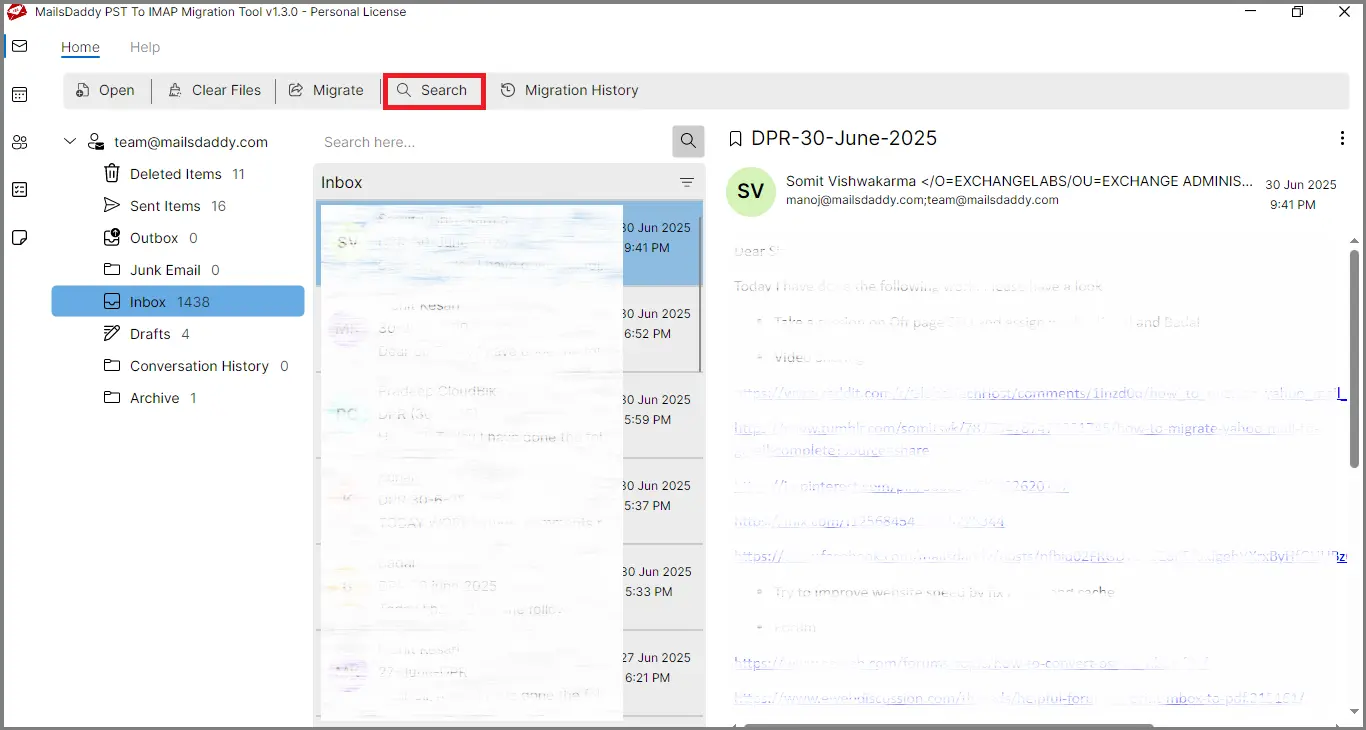
Step 2: Choose the folders you want to search for and apply filters like From, To, Subject, Date Range, etc., then click Search.
Step 3: All filtered emails will appear in the list. Double-click on any email to preview.
Step 4: Select the required emails and click on the Migrate button.
Step 5: Enter your Rediffmail login credentials, confirm server settings. Browse the log file location and click on the Migrate button.
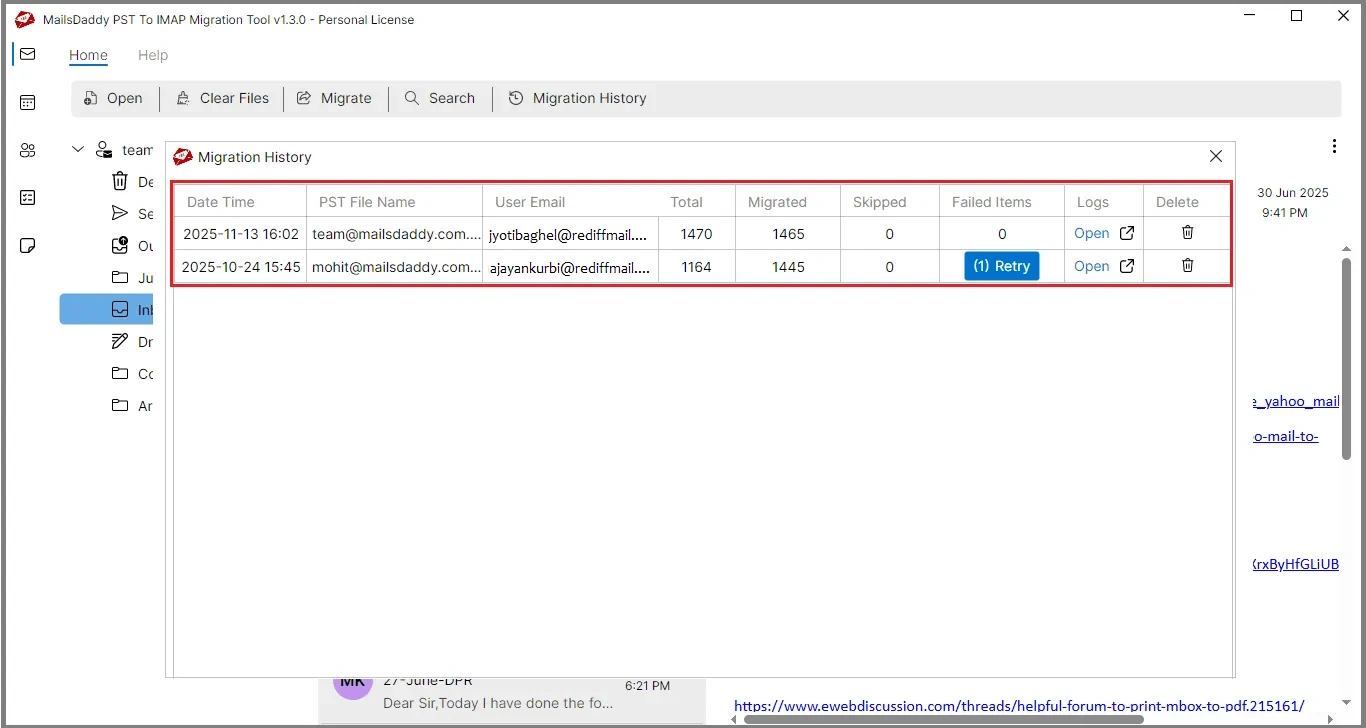
Step 1: Once the migration finishes, click on Migration History Tab to review details such as: migration start time, PST file name, Yahoo account, total email count, migrated emails, skipped items, and failed items.
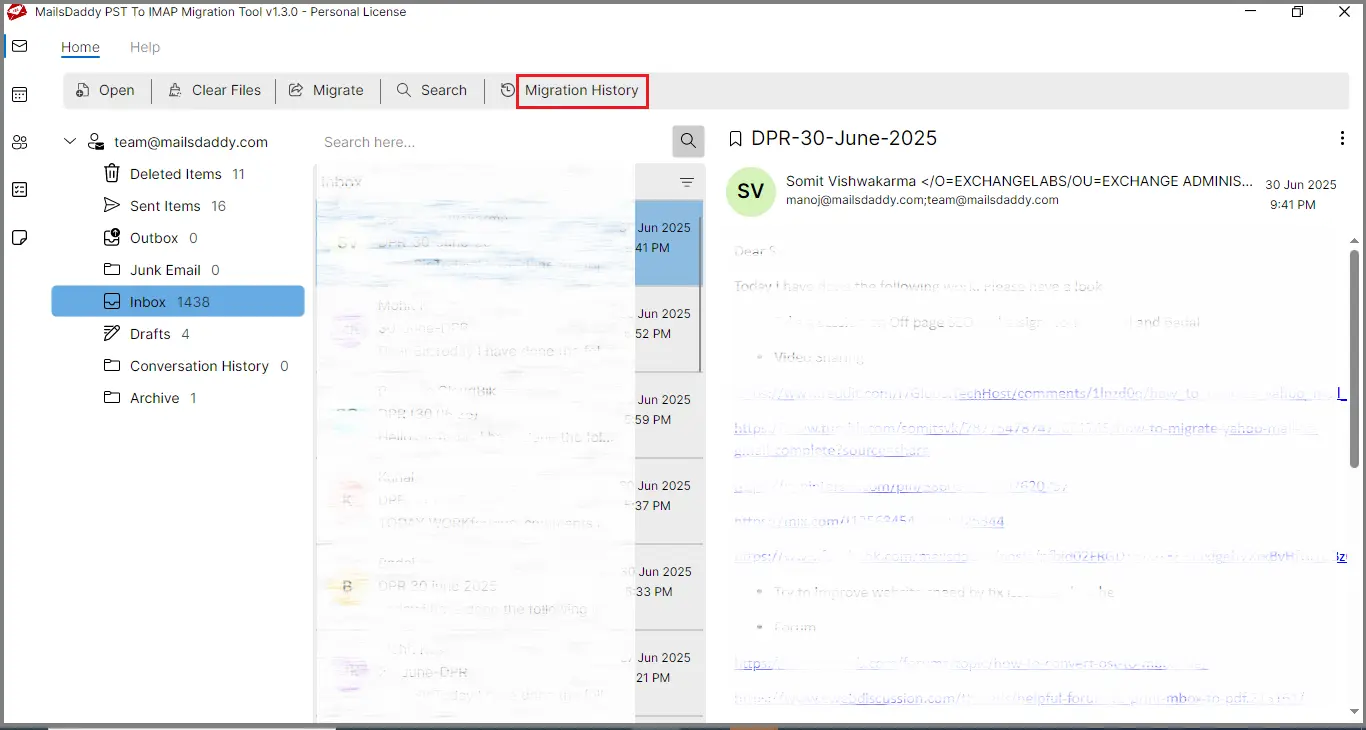
Step 2: If any emails do not migrate, click the Retry button to attempt migration again.